BMKG Earthquake & Weather API: Earthquake Notifications and Weather Widget
By Tim APIPedia, Tim Engineering APIPedia · Published · Updated · 10 min read
BMKG earthquake and weather API in APIPedia: latest earthquake, M5+, felt earthquake, and weather forecast per sub-district in neat JSON via one API key.
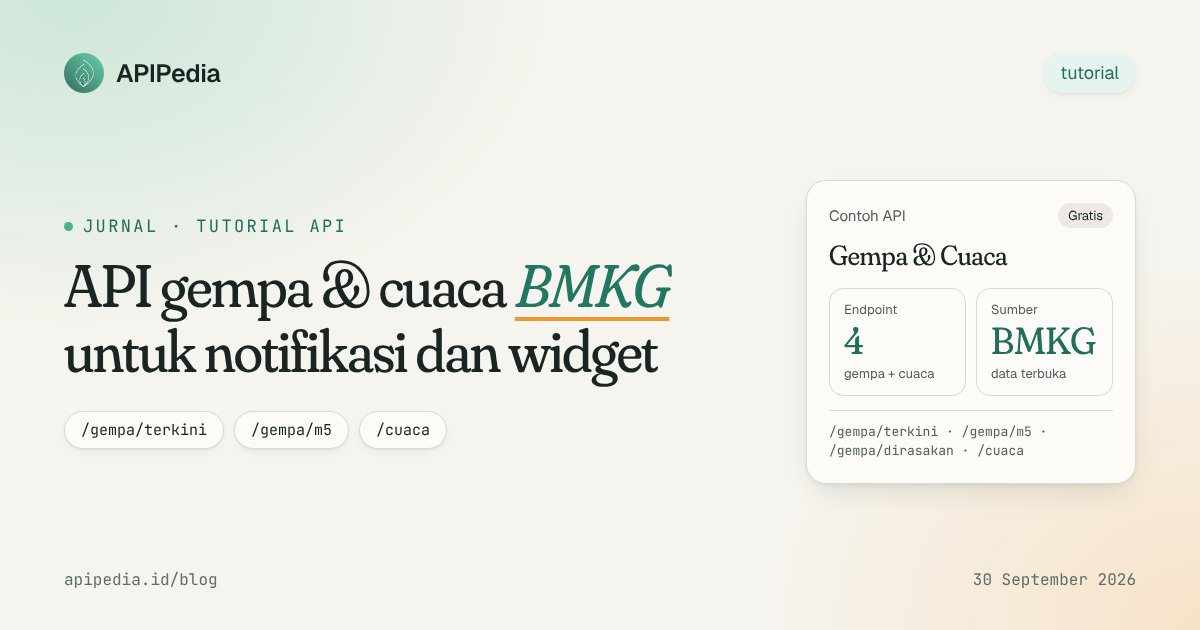
The BMKG earthquake and weather API in APIPedia consists of four REST endpoints. The four of them transmit BMKG open data in the form of JSON which has been tidied up: the latest earthquakes, a list of earthquakes with a magnitude of 5 and above, earthquakes felt by the community, and weather forecasts per sub-district/village. One APIPedia API key is enough to call all four.
This article explains how to call these four endpoints and what each field in the response means. After that there are two examples of use that are most frequently searched for, namely the latest earthquake notifications and small weather widgets for web pages.
What are the BMKG earthquake and weather API endpoints on APIPedia?
The four endpoints use method GET and are under base URL https://api.apipedia.id/v1. Earthquake data comes from BMKG's open feed at data.bmkg.go.id, while weather forecasts come from BMKG's public weather forecast API. APIPedia does not produce its own earthquake or weather data. His job is just to forward the data and tidy up the shape.
| Endpoints | Fill | BMKG feed | Parameter |
|---|---|---|---|
/gempa/terkini | One of the last recorded earthquakes | autoearthquake.json | There isn't any |
/gempa/m5 | List of recent earthquakes with magnitude 5 and above | earthquaketerkini.json | There isn't any |
/gempa/dirasakan | List of earthquakes whose shaking was reported by the public | earthquakefelt.json | There isn't any |
/cuaca | Weather forecast for one sub-district/village | Public weather forecast API | adm4 (required) |
All responses are wrapped in the same envelope, namely { is_success, message, data }. Object data always contains field source with the value "BMKG", plus field cached which tells whether the answer was retrieved from the cache.
How do I start using the BMKG earthquake API?
Each endpoint requires authentication with a Bearer token. The steps are short:
- Register or log in at console.apipedia.id.
- Go to the API Token menu and create a new key. This key always starts with
apk_. - Store the key in an environment variable or secret manager. Don't put it in frontend code that can be exposed to the public.
- Send header
Authorization: Bearer apk_xxxevery time it calls the endpoint. - Check the value of
is_successfirst before readingdata.
The Free package is free forever. The quota is 500 requests per day with a rate limit of 10 requests per second. This quota is usually sufficient for earthquake notifications or small-scale weather widgets, as long as the API is not called on every page visit.
How to retrieve the latest earthquakes from BMKG via API?
/gempa/terkini returns just one event, namely the last earthquake recorded in the BMKG autoearthquake feed. This endpoint is best suited for a "latest earthquake" banner or as a notification trigger.
curl https://api.apipedia.id/v1/gempa/terkini \
  -H "Authorization: Bearer apk_xxx"
Example of response form:
{
  "is_success": true,
  "message": "Data gempa terkini berhasil diambil — Data: BMKG",
  "data": {
    "gempa": {
      "tanggal": "2026-09-15T16:12:48+00:00",
      "tanggal_lokal": "15 Sep 2026 23:12:48 WIB",
      "magnitude": 4.2,
      "kedalaman_km": 34,
      "koordinat": { "lat": -4.36, "lon": 101.99 },
      "lintang": "4.36 LS",
      "bujur": "101.99 BT",
      "wilayah": "Pusat gempa berada di laut 72 km barat daya Seluma",
      "potensi": "Gempa ini dirasakan untuk diteruskan pada masyarakat",
      "dirasakan": "II-III Bengkulu",
      "shakemap": "https://data.bmkg.go.id/DataMKG/TEWS/20260915231248.mmi.jpg"
    },
    "source": "BMKG",
    "cached": false
  }
}
Earthquake response field
All three earthquake endpoints return objects with the same shape. If a field is not available in a particular feed, it still appears with a value of null and is not removed. Therefore one parsing code can be used for all three.
| Fields | Type | Information |
|---|---|---|
tanggal | strings | Event time in ISO 8601 format (UTC) |
tanggal_lokal | strings | Date and time according to BMKG text, e.g. "15 Sep 2026 23:12:48 IWST" |
magnitude | number | Magnitude, already in numerical form |
kedalaman_km | number | Depth in kilometers, no unit text |
koordinat | object | { lat, lon } which can be used directly on the map |
lintang, bujur | strings | Original text from BMKG, e.g. "4.36 LS" |
wilayah | strings | Description of the location of the epicenter |
potensi | string/null | Information on potential tsunami or earthquake status |
dirasakan | string/null | MMI scale and regions reporting shocks |
shakemap | string/null | Full URL of BMKG shakemap image |
What is the difference between /earthquake/m5 and /earthquake/felt?
Unlike /gempa/terkini, both of these endpoints return a list. The form of data is { jumlah, gempa: [...], source, cached }, and jumlah indicates the number of items in the array.
/gempa/m5 forwards the earthquaketerkini.json feed from BMKG, which contains the latest earthquakes with magnitude 5 and above. Field potensi on this endpoint is filled in, for example "No tsunami potential". Conversely, dirasakan and shakemap are generally worth null. This endpoint is suitable for dashboards monitoring significant earthquakes.
/gempa/dirasakan forward feed earthquakedirasakan.json. The main field is dirasakan, which contains the MMI scale along with areas reporting shocks, while potensi can be a value of null. Use this endpoint if your users want to know "was the earthquake felt in my area" rather than how big it was.
curl https://api.apipedia.id/v1/gempa/m5 \
  -H "Authorization: Bearer apk_xxx"

curl https://api.apipedia.id/v1/gempa/dirasakan \
  -H "Authorization: Bearer apk_xxx"
How recent is the earthquake data from this API?
This API is not an early warning system and does not promise real-time data. Responses from BMKG feeds are stored in memory for five minutes. As a result, the data you receive can be up to five minutes late compared to the last update on BMKG. If field cached has a value of true, it means the answer came from cache.
BMKG updates the feed every time there is a new incident. For official information and tsunami warnings, direct users to the official BMKG channel. Also include the attribution "Data: BMKG" in your application.
How to make the latest earthquake notification?
The method is simple. Call /gempa/terkini periodically from the server and save the last event marker, namely field tanggal. Send notifications only if the marker changes. Because there is a five-minute cache, polling more frequently than five minutes will not produce new data and will only use up quota.
const API = "https://api.apipedia.id/v1";
const KEY = process.env.APIPEDIA_KEY; // apk_xxx

let tanggalTerakhir = null;

async function cekGempa() {
  const res = await fetch(`${API}/gempa/terkini`, {
    headers: { Authorization: `Bearer ${KEY}` },
  });
  const body = await res.json();
  if (!body.is_success) {
    console.error("Gagal:", body.message);
    return;
  }

  const g = body.data.gempa;
  if (g.tanggal === tanggalTerakhir) return; // belum ada kejadian baru

  tanggalTerakhir = g.tanggal;
  if (g.magnitude >= 5) {
    kirimNotifikasi(
      `Gempa M${g.magnitude} - ${g.wilayah} (${g.tanggal_lokal}). ` +
      `Kedalaman ${g.kedalaman_km} km. ${g.potensi ?? ""} Data: BMKG`
    );
  }
}

function kirimNotifikasi(teks) {
  // Ganti dengan Telegram, WhatsApp, email, atau push notification
  console.log(teks);
}

cekGempa();
setInterval(cekGempa, 10 * 60 * 1000); // tiap 10 menit
With 10 minute intervals, the number of requests is around 144 per day, still below the Free package quota of 500 requests/day. You can change the threshold magnitude >= 5. You can also change the filter by matching the region name in field dirasakan.
How do I use the BMKG weather API?
/cuaca returns the weather forecast for one sub-district/village. Parameter adm4 must be filled in with the sub-district/village level area code with pattern dd.dd.dd.dddd. For example 31.71.03.1001 for Kemayoran, Central Jakarta.
BMKG only serves level adm4. District codes cannot be used, and APIPedia does not guess them automatically. If you don't have a subdistrict code, read the Indonesian region and postal code data API guide.
curl "https://api.apipedia.id/v1/cuaca?adm4=31.71.03.1001" \
  -H "Authorization: Bearer apk_xxx"
Weather response field
Object data contains three parts. First lokasi (adm4, province, district_city, sub-district, village, lat, lon, time_zone), then jumlah, and finally the array prakiraan. The forecast from BMKG has been flattened to one series per hour.
| Forecast field | Information |
|---|---|
waktu | Local time, e.g. "2026-09-16 00:00:00" |
waktu_utc | Time in UTC |
suhu_c | Temperature in degrees Celsius |
kelembapan | Air humidity (%) |
cuaca_desc | Weather description, e.g. "Bright" |
arah_angin | Wind direction, e.g. "E" |
kecepatan_angin | Wind speed (number) |
jarak_pandang | View distance text, e.g. "> 10km" |
The forecast for each code is cached for 30 minutes. The reason is, BMKG publishes daily analysis, so calling back too often will not produce new numbers.
How to make a simple weather widget?
Avoid calling the API directly from the browser, because the API key can be seen by anyone. Instead, create a small endpoint on the server that forwards requests, then let the frontend call that endpoint. The example below uses an Express-style handler:
// server: GET /widget-cuaca?adm4=31.71.03.1001
app.get("/widget-cuaca", async (req, res) => {
  const adm4 = String(req.query.adm4 ?? "");
  const r = await fetch(
    `https://api.apipedia.id/v1/cuaca?adm4=${encodeURIComponent(adm4)}`,
    { headers: { Authorization: `Bearer ${process.env.APIPEDIA_KEY}` } }
  );
  const body = await r.json();
  if (!body.is_success) return res.status(r.status).json(body);

  const { lokasi, prakiraan } = body.data;
  res.json({
    tempat: `${lokasi.desa}, ${lokasi.kabupaten_kota}`,
    jam: prakiraan.slice(0, 6).map((p) => ({
      waktu: p.waktu.slice(11, 16),
      suhu: p.suhu_c,
      cuaca: p.cuaca_desc,
    })),
    atribusi: "Data: BMKG",
  });
});
On the frontend, call /widget-cuaca and then display the first six hours as a row containing the time, temperature, and weather description. Save the results for a few minutes in your own server cache so that the daily quota is not used up by visitor traffic.
What errors need to be handled?
- 400: parameter
adm4is empty or the format does not match patterndd.dd.dd.dddd. - 404: the format is correct, but the code is not in the BMKG forecast data.
- 502: The BMKG data source cannot be contacted or refuses the request, for example with the message "The earthquake data source (BMKG) cannot be contacted at this time."
If you receive a 502, display the last data you saved and try again a few moments later. Don't repeat requests in tight loops.
Frequently asked questions
Is the BMKG earthquake API on APIPedia free?
Yes. The four endpoints can be used with the Free package which is free forever, with a quota of 500 requests per day and a rate limit of 10 requests per second. You only need to create an API key in the API Token menu on the console.
Is the earthquake data real-time?
Not completely. Data is forwarded from the BMKG feed and stored in cache for five minutes, so it could be a few minutes late. For tsunami early warning, refer to the official BMKG channel.
Why does /weather reject the subdistrict code?
BMKG's public weather forecast API only serves the adm4 (subdistrict/village) level. APIPedia deliberately does not guess the sub-district from the sub-district code, because the guessed code could be rejected by BMKG.
Can I call this API from an AI assistant?
Can. APIPedia provides an MCP server, so assistants like Claude can call up earthquake and weather data. The guide is in the article connecting APIPedia to Claude via MCP.
Am I required to include the data source?
This data comes from BMKG, and each response includes source: "BMKG". It's a good idea to include the attribution "Data: BMKG" in your application display so that users know where the information comes from.
Try it now
Create an account at console.apipedia.id, take the API key from the API Token menu, then run the curl /gempa/terkini command above. BMKG earthquake and weather data is immediately available in neat JSON, ready to be used for notifications, dashboards or widgets. If you need other data, also read how to check postage via API.
Topics: #api gempa #api cuaca #bmkg #tutorial api #javascript
${c.about}
Tim APIPedia — Tim Engineering APIPedia
Tim engineering di balik APIPedia yang membangun dan memelihara API data Indonesia - ongkir, OCR KTP, data wilayah, BMKG, hingga server MCP - dan menulis panduan integrasinya dari pengalaman langsung.