KTP OCR API: Extract e-KTP Data and Automatic NIK Validation
By Tim APIPedia, Tim Engineering APIPedia · Published · Updated · 9 min read
The KTP OCR API reads e-KTP photos and returns NIK, name, address, and other fields as JSON via one endpoint POST /ocr/ktp.
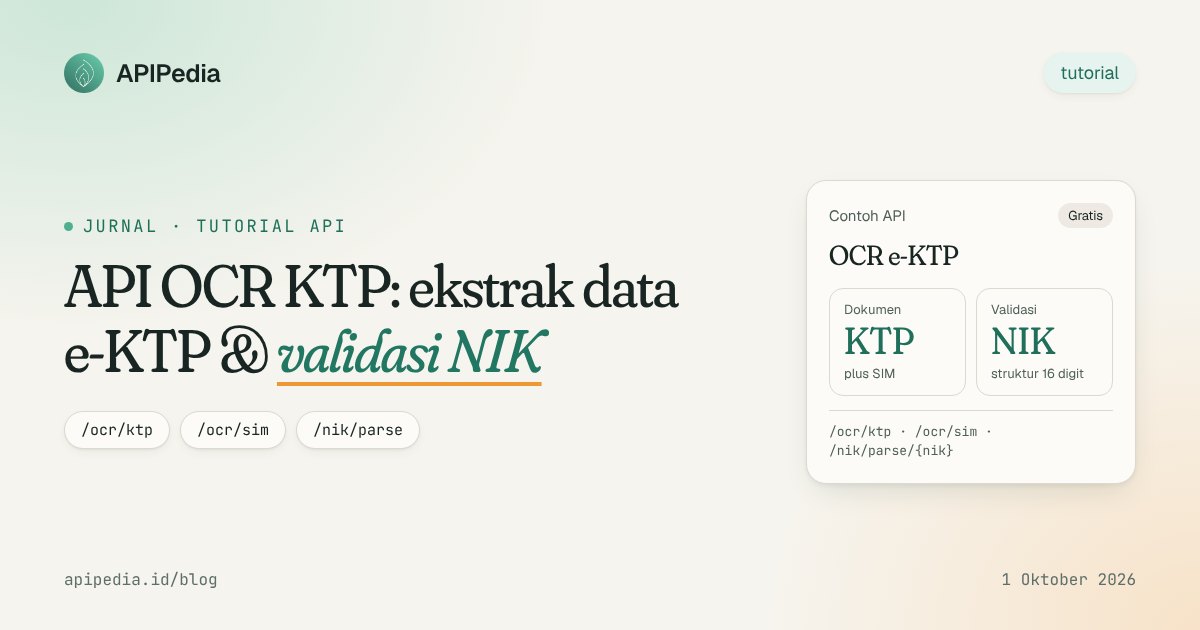
The KTP OCR API is a service that reads e-KTP photos and then returns the fields in structured JSON form: NIK, name, place and date of birth, address, RT/RW, religion, occupation, and validity period. In APIPedia, you simply send a base64 image to POST /ocr/ktp endpoints and receive the results in a single response.
This article discusses how KTP OCR works in APIPedia, examples of requests using curl and JavaScript, how to validate NIK via /nik/parse/{nik}, read SIM via /ocr/sim, and things you must pay attention to regarding personal data protection.
What is KTP OCR and when do developers need it?
OCR ( optical character recognition) converts text in an image into text that can be processed by a program. KTP OCR adds one more step: the raw text is parsed into fields that match the e-KTP layout.
This need arises in many flows: user registration, automatic form filling, partner onboarding, to recording customer data in internal applications. Without OCR, users have to retype the 16-digit NIK and full address, which is prone to typos.
How does APIPedia KTP OCR work?
Endpoint /ocr/ktp runs the Tesseract OCR engine with Indonesian and English ( ind+eng) on the server. The resulting OCR text is then parsed through pattern matching to fill in each field. Fields that are not read are worth null, not guessed.
The response always includes raw_text, which is the raw text of the OCR result, so you can double-check the result. If the NIK is successfully read, field nik_parsed contains the results of decoding the NIK structure: region of issue, gender, date of birth and serial number. Accuracy still depends on photo quality, so manual verification is still required.
How do I use the Indonesian KTP OCR API?
All APIPedia endpoints use one Bearer token. Follow these steps for your first call:
- Register or log in at console.apipedia.id. The Free package is free forever with a quota of 500 requests per day and a rate limit of 10 requests per second.
- Go to the API Token menu, then create a new key. Keys starting with
apk_. - Prepare a photo of your KTP in PNG, JPEG or WebP format, maximum 8 MB.
- Convert image to base64. URL data such as
data:image/jpeg;base64,...is also accepted. - Send
POSTtohttps://api.apipedia.id/v1/ocr/ktpwith a JSON body containingimage_base64. - Read the fields from object
data, then display them to the user for confirmation.
Example of a request with curl
IMG=$(base64 -w 0 ktp.jpg)

curl -X POST https://api.apipedia.id/v1/ocr/ktp \
  -H "Authorization: Bearer apk_xxx" \
  -H "Content-Type: application/json" \
  -d "{\"image_base64\": \"$IMG\"}"
On macOS, replace base64 -w 0 ktp.jpg with base64 -i ktp.jpg. For large photos, save the body to a file and then send with -d @body.json to avoid being hit by the shell argument length limit.
Example request with JavaScript (fetch)
// Di browser: ambil berkas dari <input type="file">
async function bacaKtp(file) {
  const dataUrl = await new Promise((resolve, reject) => {
    const reader = new FileReader();
    reader.onload = () => resolve(reader.result);
    reader.onerror = reject;
    reader.readAsDataURL(file);
  });

  const res = await fetch("https://api.apipedia.id/v1/ocr/ktp", {
    method: "POST",
    headers: {
      "Authorization": "Bearer apk_xxx",
      "Content-Type": "application/json",
    },
    body: JSON.stringify({ image_base64: dataUrl }),
  });

  const json = await res.json();
  if (!json.is_success) throw new Error(json.message);
  return json.data;
}
Important: do not put key apk_ in code running in the user's browser. The example above is suitable for a prototype. In production, pass the image to your backend, then the backend that calls APIPedia with the key stored in the environment variable.
What fields does the /ocr/ktp endpoint return?
Each APIPedia response uses { is_success, message, data } envelopes. Following are the contents of object data for /ocr/ktp:
| Fields | Information | Example |
|---|---|---|
nik | 16 digit NIK | 3273012501990001 |
nama | Full name | BUDI SANTOSO |
tempat_lahir | Place of birth | BANDUNG |
tanggal_lahir | Date of birth (DD-MM-YYYY) | 01-25-1999 |
jenis_kelamin | Gender | MAN |
alamat, rt_rw | Address and RT/RW | JL. SETIABUDI NO. 123, 005/012 |
kel_desa, kecamatan | Sub-districts/villages and sub-districts | GEGERKALONG, SUKASARI |
agama, status_perkawinan | Religion and marital status | ISLAM, NOT MARRIED YET |
pekerjaan, kewarganegaraan | Employment and citizenship | PRIVATE EMPLOYEES, Indonesian Citizens |
berlaku_hingga | Validity period | LIFETIME |
nik_parsed | Results of decomposing the NIK structure, or null | object |
confidence | OCR confidence score | 88.2 |
lang | OCR language | ind+eng |
raw_text | Raw text of OCR results | WEST JAVA PROVINCE... |
catatan | Accuracy note | text |
Handle errors
A status of 400 means the image has problems: image_base64 blank, not base64, more than 8 MB, or not PNG/JPEG/WebP. Status 502 means the OCR engine failed to process the image. On both, is_success is worth false and message explains why, so you can show it straight away or ask the user to retake the photo.
How to validate NIK with /nik/parse/{nik}?
Endpoint GET /nik/parse/{nik} examines the NIK structure according to PP 37/2007, then breaks it down into issue area (province, district/city, sub-district), gender, date of birth and serial number. For women, the date digits are incremented by 40, and this endpoint handles this automatically.
An invalid NIK is answered with 400 along with the first reason: not 16 digits long, not a number, area code not registered, or invalid date digits. If the two-digit year can mean 19xx or 20xx, the response contains abad_ambigu: true and the alternative year is tanggal_lahir_alternatif.
curl https://api.apipedia.id/v1/nik/parse/3273010101900001 \
  -H "Authorization: Bearer apk_xxx"
const res = await fetch(
"https://api.apipedia.id/v1/nik/parse/3273010101900001",
{ headers: { "Authorization": "Bearer apk_xxx" } }
);
const { is_success, message, data } = await res.json();
if (is_success) {
console.log(data.wilayah.kabupaten, data.jenis_kelamin, data.tanggal_lahir);
} else {
console.warn("NIK tidak valid:", message);
}NIK validation limitations that need to be understood
This examination is structural, not identity verification with Dukcapil. The NIK does not have a checksum, so the correct structure is not proof that the NIK is registered or belongs to the person who sent it. The area code indicates the place of residence when the NIK was issued, not the place of birth and not the current domicile. Use the results to catch typos and data that clearly doesn't make sense, for example the date of birth on the NIK is different from the date of birth printed on the KTP. Also match the sub-district names from the NIK with official regional data; The guide is in the Indonesian region and postal code data API article. For processes that require certainty of identity, such as opening an account, you still need an official verification route according to your industry regulations.
Can the same API read SIM?
Can. Endpoint POST /ocr/sim uses the same body ( image_base64) and returns nomor_sim, nama, alamat, golongan, and berlaku_hingga, plus confidence, lang, raw_text, and catatan. As with the KTP, the unreadable field has a value of null.
curl -X POST https://api.apipedia.id/v1/ocr/sim \
  -H "Authorization: Bearer apk_xxx" \
  -H "Content-Type: application/json" \
  -d @body-sim.json
Field berlaku_hingga is useful for logistics or vehicle rental applications that need to reject expired driver's licenses before the driver is active.
How to maintain the privacy and security of KTP data?
Photo of KTP and NIK including personal data. The Personal Data Protection Law (PDP Law, Law No. 27 of 2022) requires data controllers to process personal data in a limited, specific, legal and transparent manner. This means that responsibility for user data lies with your app, not just with the API provider.
Practices you should implement
- Ask for clear consent. Before users upload their ID cards, explain the purpose of the processing, what data is captured, and how long it is stored. Note the agreement.
- Save as needed. If you only need your name and NIK, don't save your religion, marital status or occupation. Delete the KTP photo after the data is confirmed if there is no obligation to keep it.
- Do not log
raw_textand base64. Application logs are often read by many people and stored for a long time. - Call API from backend. Key
apk_remains secret, and you can control incoming and outgoing data. - Encryption when saved and sent. Use HTTPS, encrypt sensitive fields, and limit database access by role.
- Give users control. Provide a way to view, correct, and delete their data.
This is a general overview, not legal advice. For products that process identity data at scale, engage a legal team or compliance consultant.
How can I make my KTP OCR results more accurate?
Photo quality is the biggest factor. Have the user photograph the ID card on a flat surface with even light, without flash reflections on the laminate layer, and make sure the entire card fits into the frame.
Use confidence as the starting signal. If the score is low or an important field is null, display a partially filled form and ask the user to complete it. Also compare tanggal_lahir OCR results with nik_parsed.tanggalLahir; if it is different, there may be a misread digit.
Remember the Free package limits: 10 requests per second and 500 requests per day. For bulk uploads, queue requests in the backend to avoid hitting rate limits.
Frequently asked questions
Is APIPedia KTP OCR API free?
Yes. The Free package is free forever with a quota of 500 requests per day and a rate limit of 10 requests per second. All packages expose the entire API, including /ocr/ktp, /ocr/sim, and /nik/parse/{nik}.
What image formats are supported?
PNG, JPEG, and WebP in base64 or URL data, maximum 8 MB. PDF is not yet supported.
Does /nik/parse ensure that the NIK is registered with Dukcapil?
No. This endpoint simply checks the NIK structure and parses its contents. The correct structure is not proof of registered identity.
Why are there fields that are null?
Unreadable fields are intentionally left null so that there is no guessing data. Check raw_text, improve the photo quality, or ask the user to fill in the fields manually.
Can KTP OCR be called from AI assistant?
Can. APIPedia provides an MCP server so assistants like Claude can call endpoints directly. The guide is in the article on how to connect APIPedia to Claude via MCP. Continue to apply the same privacy principles for KTP data.
Ready to try? Create a free account and API key at console.apipedia.id, then send a sample KTP photo to /ocr/ktp. Your registration form can be filled in automatically without the user retyping the NIK.
Topics: #ocr #ktp #nik #identitas #tutorial
${c.about}
Tim APIPedia — Tim Engineering APIPedia
Tim engineering di balik APIPedia yang membangun dan memelihara API data Indonesia - ongkir, OCR KTP, data wilayah, BMKG, hingga server MCP - dan menulis panduan integrasinya dari pengalaman langsung.