Bank Account Validation API: How to Check the Account Number Format on the Fund Disbursement Form
By Tim APIPedia, Tim Engineering APIPedia · Published · Updated · 10 min read
APIPedia's account validation API checks the format of the account number and bank code via POST /v1/account/validate before the disbursement data is saved.
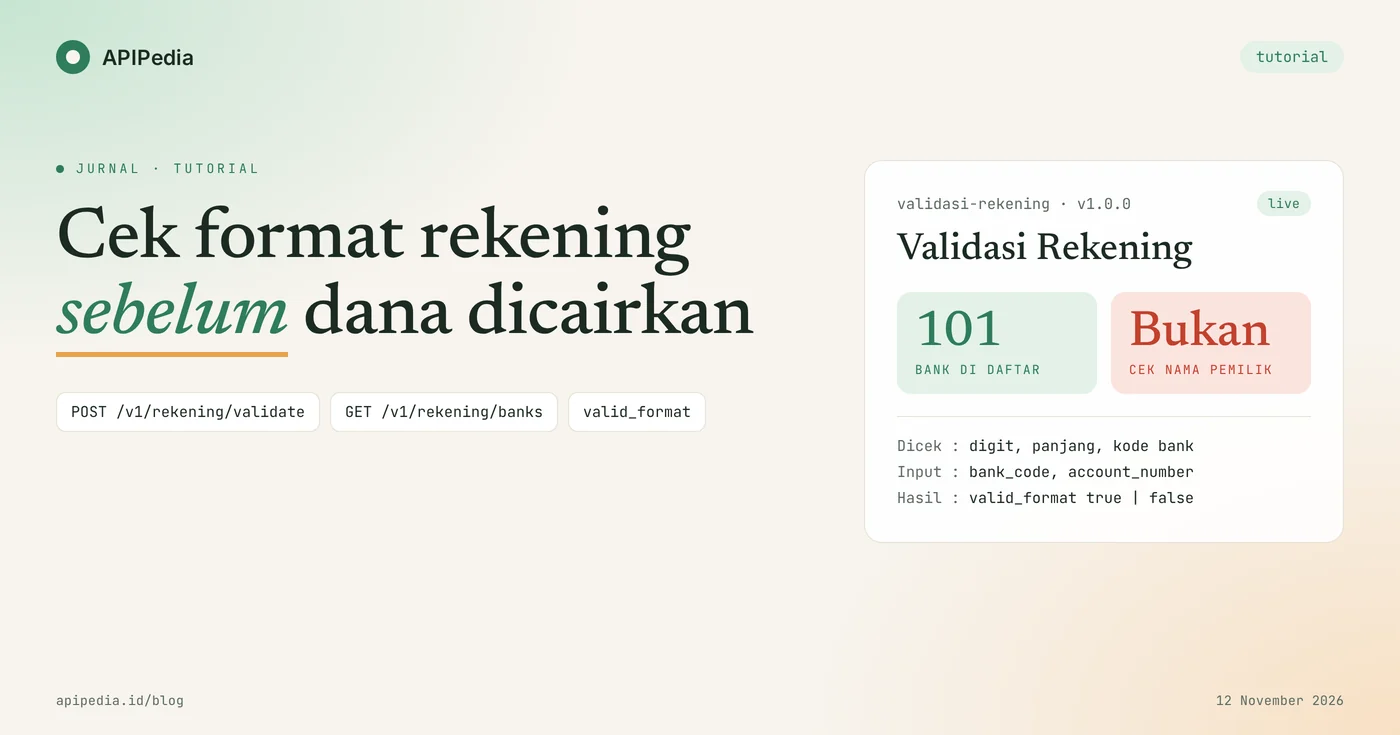
APIPedia's account validation API checks whether an account number is in the correct form for the selected bank: it consists of numbers, the length is correct, and the bank code is listed. The check is carried out via one request POST /v1/rekening/validate and the results are in field valid_format.
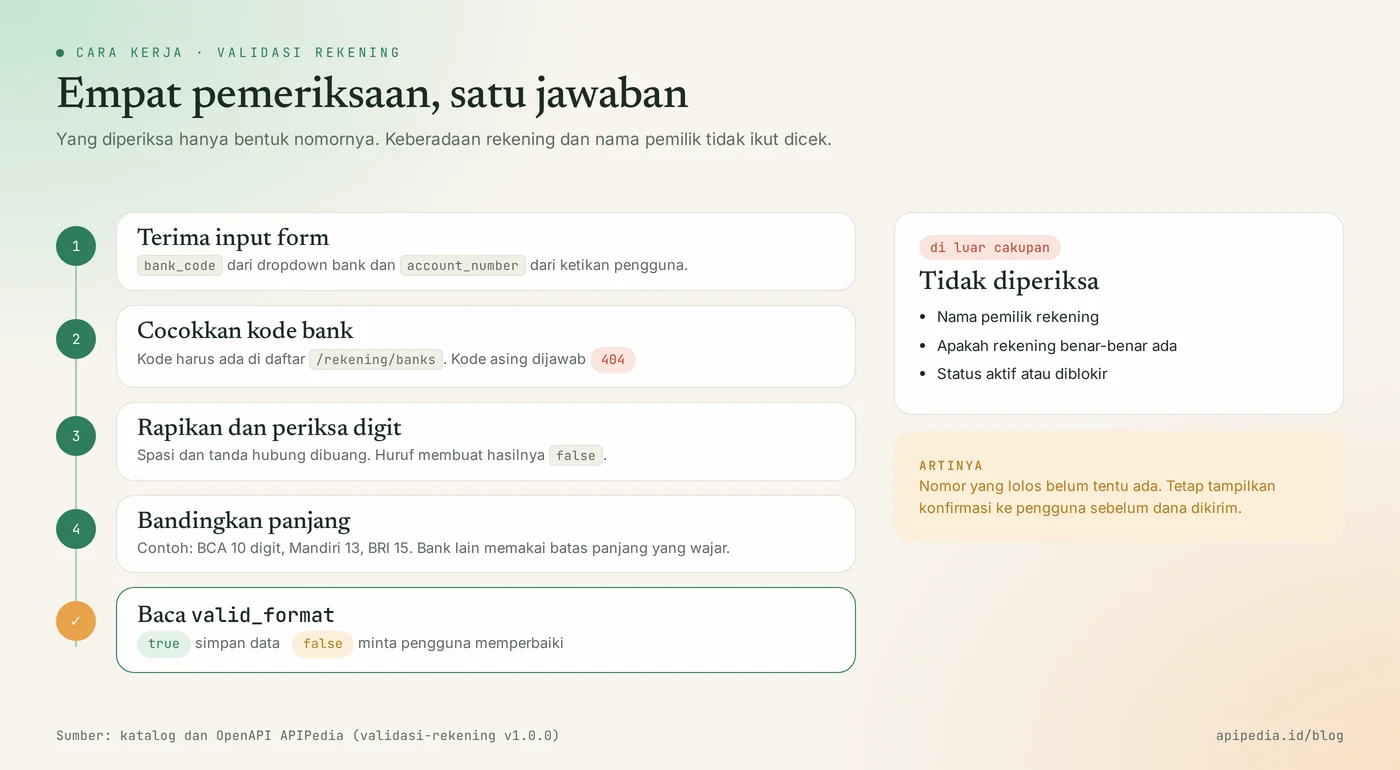
This tutorial uses the case of a cash disbursement form: a marketplace seller, partner, or customer requesting a refund types in the account number, then your backend filters for typos before the data is saved. One thing needs to be clear from the start: this API checks the format, not the name of the owner and not the existence of the account.
Quick summary: what do you need to know?
The Account Validation product has two endpoints: one for bank listing, one for checking numbers. The following table summarizes the essence.
| Items | Details |
|---|---|
| List of banks | GET https://api.apipedia.id/v1/rekening/banks, optional parameter q |
| Check number | POST https://api.apipedia.id/v1/rekening/validate |
| Body | bank_code (e.g. "014") and account_number |
| Authentication | Header Authorization: Bearer apk_xxx |
| What's checked | The number is a number, the length is reasonable for that bank, the bank code is in the list |
| Which is not checked | Owner's name, account existence, active status |
| Number of banks | 101 entries when this article was written |
| Results | valid_format is worth true or false |
What problems does the account validation API solve?
This API catches account number typos when the form is sent, not when the transfer has failed. Numbers that are missing one digit, have been swapped by banks, or contain letters are usually only discovered when the finance team tries to disburse funds. As a result, disbursement is delayed and the user must be contacted again.
With format checking in the backend, the error is immediately returned to the user as a validation message. The finance team receives data that is organized and consistent.
What do you need to prepare before starting?
You only need one APIPedia API key. Register or log in at console.apipedia.id, open the API Token menu, then create a new key. The key starts with apk_ and is sent via header Authorization: Bearer apk_xxx.
Store the key in a server environment variable, for example APIPEDIA_KEY, and call the API from the backend. Account Validation products are listed in the Free tier in the catalog.
Step 1: how to retrieve bank list for dropdown?
Call GET /v1/rekening/banks to get the code and bank name, then use the results as the contents of the dropdown. With dropdowns, users don't type in the bank name themselves and the backend always receives a valid code.
curl -s "https://api.apipedia.id/v1/rekening/banks?q=mandiri" \
  -H "Authorization: Bearer apk_xxx"
Real response to search q=mandiri:
{
  "is_success": true,
  "message": "Daftar bank berhasil diambil",
  "data": {
    "jumlah": 2,
    "banks": [
      { "kode": "008", "nama": "Bank Mandiri", "panjang": [13] },
      { "kode": "564", "nama": "Bank Mandiri Taspen", "panjang": null }
    ],
    "catatan": "Pemeriksaan format dan daftar bank, bukan verifikasi nama pemilik rekening."
  }
}
Without the q parameter, this endpoint returns the entire list, which is 101 entries at the time of writing this article. Field panjang contains the accepted number length for that bank. The value is null if the bank does not have special length rules in this data. Examples filled in: BRI [15], Mandiri [13], BNI [10], and BCA [10].
The list of banks rarely changes. Fetch it once at app startup, cache it, then serve it to the form from that cache.
Step 2: how to check one account number with curl?
Send bank_code and account_number as JSON to POST /v1/rekening/validate. The numbers below are fictitious examples.
curl -s -X POST https://api.apipedia.id/v1/rekening/validate \
  -H "Authorization: Bearer apk_xxx" \
  -H "Content-Type: application/json" \
  -d '{"bank_code": "014", "account_number": "1234567890"}'
{
"is_success": true,
"message": "Pemeriksaan format rekening selesai",
"data": {
"bank": { "kode": "014", "nama": "Bank Central Asia (BCA)", "panjang": [10] },
"digits": "1234567890",
"panjang": 10,
"valid_format": true,
"catatan": "Pemeriksaan format dan daftar bank, bukan verifikasi nama pemilik rekening."
}
}| Fields | Meaning |
|---|---|
bank | Bank that matches bank_code, complete with its panjang rule. |
digits | Numbers checked after spaces and hyphens are discarded. |
panjang | Number of characters at digits. |
valid_format | true if the format passes, false if not. |
catatan | Reminder that this is not an owner name verification. |
What does the response to incorrect input look like?
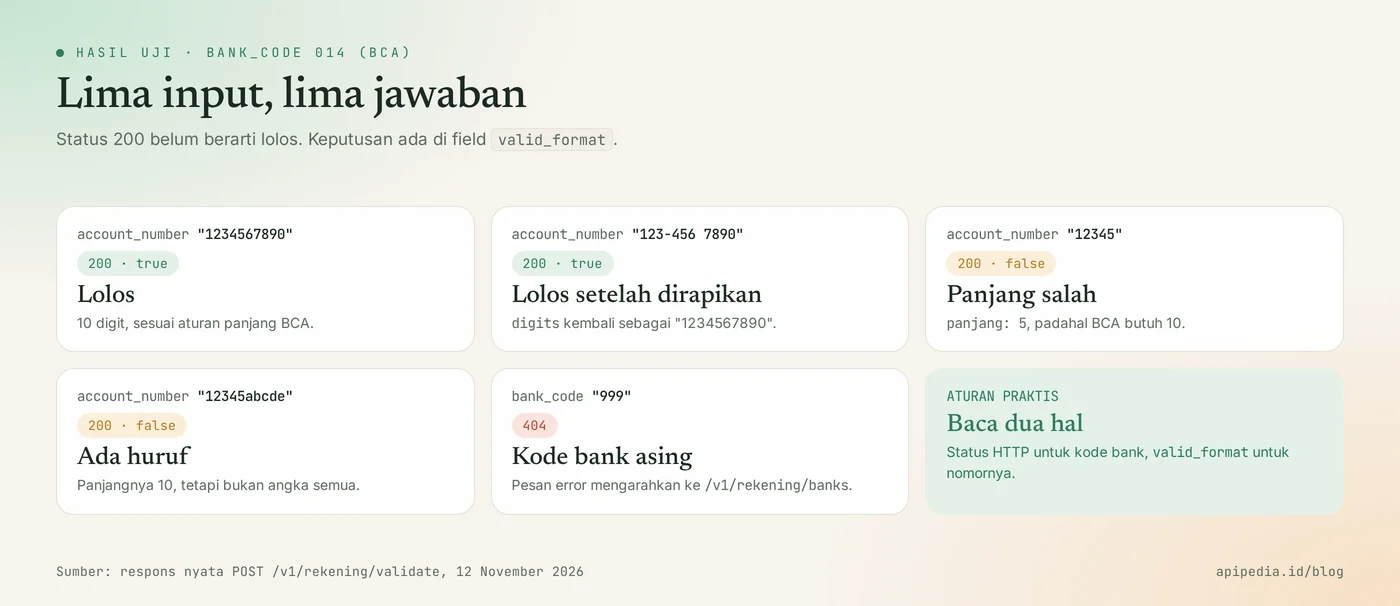
Wrong numbers are still answered with status 200 with valid_format: false, while unknown bank codes are answered with 404. We tested five inputs against bank code 014 and one foreign bank code. The result:
| Inputs | Status | valid_format | Notes |
|---|---|---|---|
014 + 1234567890 | 200 | true | 10 digits, according to the rules |
014 + 123-456 7890 | 200 | true | digits becomes 1234567890 |
014 + 12345 | 200 | false | panjang 5, bank rule 10 |
014 + 12345abcde | 200 | false | Contains letters |
999 + 1234567890 | 404 | - | Bank code not found |
The 404 response for a foreign bank code looks like this:
{
  "is_success": false,
  "message": "Kode bank \"999\" tidak ditemukan. Lihat daftarnya di /v1/rekening/banks.",
  "data": null
}
Step 3: how to install it in Node.js backend?
Create two functions: one retrieves the list of banks for the dropdown, one checks the number when the form is submitted. This example runs on Node.js 18 and above without any additional dependencies.
const BASE = "https://api.apipedia.id/v1";
const headers = {
  Authorization: `Bearer ${process.env.APIPEDIA_KEY}`, // apk_xxx
  "Content-Type": "application/json",
};

let cacheBank = null;

// Daftar bank untuk dropdown. Cukup diambil sekali, lalu disimpan.
export async function daftarBank() {
  if (cacheBank) return cacheBank;
  const res = await fetch(`${BASE}/rekening/banks`, { headers });
  const body = await res.json();
  if (!body.is_success) throw new Error(body.message);
  cacheBank = body.data.banks.map((b) => ({ kode: b.kode, nama: b.nama }));
  return cacheBank;
}

// Dipanggil saat form pencairan dikirim.
export async function cekRekening(bankCode, accountNumber) {
  const res = await fetch(`${BASE}/rekening/validate`, {
    method: "POST",
    headers,
    body: JSON.stringify({ bank_code: bankCode, account_number: accountNumber }),
  });
  const body = await res.json();

  if (res.status === 404) {
    return { ok: false, pesan: "Bank tidak dikenal. Pilih bank dari daftar." };
  }
  if (!body.is_success) throw new Error(`HTTP ${res.status}: ${body.message}`);

  const { bank, digits, panjang, valid_format } = body.data;
  if (!valid_format) {
    const aturan = bank.panjang ? ` ${bank.nama} memakai ${bank.panjang.join(" atau ")} digit.` : "";
    return { ok: false, pesan: `Nomor rekening tidak sesuai format (${panjang} karakter).${aturan}` };
  }
  // Simpan versi yang sudah dirapikan, bukan ketikan mentah pengguna.
  return { ok: true, bankCode: bank.kode, bankNama: bank.nama, nomor: digits };
}

console.log(await cekRekening("014", "123-456 7890"));
console.log(await cekRekening("014", "12345"));
console.log(await cekRekening("999", "1234567890"));
Function cekRekening separates three states: unknown bank, incorrect format, and escaped format. When it passes, what is saved is digits, so the number in your database no longer contains spaces or hyphens.
Step 4: how to do the same example in Python?
In Python, send JSON with requests then read the HTTP status and valid_format. The pattern is the same as the Node.js version.
import os

import requests  # pip install requests

BASE = "https://api.apipedia.id/v1"
HEADERS = {"Authorization": f"Bearer {os.environ['APIPEDIA_KEY']}"}  # apk_xxx


def cek_rekening(bank_code, account_number):
    res = requests.post(
        f"{BASE}/rekening/validate",
        headers=HEADERS,
        json={"bank_code": bank_code, "account_number": account_number},
        timeout=10,
    )
    body = res.json()

    if res.status_code == 404:
        return {"ok": False, "pesan": "Bank tidak dikenal. Pilih bank dari daftar."}
    if not body.get("is_success"):
        raise RuntimeError(f"HTTP {res.status_code}: {body.get('message')}")

    data = body["data"]
    if not data["valid_format"]:
        return {"ok": False, "pesan": f"Format nomor rekening {data['bank']['nama']} tidak sesuai."}
    return {"ok": True, "bank_code": data["bank"]["kode"], "nomor": data["digits"]}


if __name__ == "__main__":
    for bank, nomor in [("014", "1234567890"), ("014", "12345abcde"), ("999", "1234567890")]:
        print(bank, nomor, "->", cek_rekening(bank, nomor))
What is the limit of this check?
This check only answers "is the number in the correct form", not "whether the account exists and belongs to this person". Owner name verification requires access to the bank's clearing system, and this gateway does not have that. The number that passes may not necessarily exist.
Therefore, treat valid_format: true as the first filter. Continue to display bank summaries and numbers to users for confirmation, and follow your business's applicable verification procedures before funds are sent.
What common mistakes should you avoid?
The most common mistake is to consider a status of 200 as a sign of passing. Also check the following things.
- Only read
is_success. The value istrueeven though the format is wrong. The decision is atvalid_format. - Assuming it passes means the account exists. This API does not check the existence of the account or the name of the owner.
- Sends the bank name, not the code.
bank_codemust be the code for/rekening/banks, for example"014". - Sends codes as numbers. Codes like
008lose the leading zero when sent as a number. Send as string. - Saves raw typing. Save
digitsof the responses so that the formatting in the database is uniform. - Calling from a browser. Key
apk_xxxwill be read by anyone. Call from backend. - Take bank list at every visit. Store in cache, as this list rarely changes.
Status code that needs to be addressed
| Status | Meaning | Action |
|---|---|---|
| 200 | Inspection complete | Read valid_format |
| 400 | Invalid parameter or body | Read message, which calls the field problematic |
| 401 | Token is missing, unknown, or expired | Check header Authorization |
| 403 | The key has no scope for this endpoint | Change the key scope on the Token page |
| 404 | Bank code not found | Have the user select a bank from the list |
Frequently asked questions
Can this API check the account owner's name?
No. This API checks the number format and bank code list only. Owner name verification requires access to the bank's clearing system which this gateway does not have.
Is the number that passes definitely an active account?
Not necessarily. valid_format: true just means the number is a digit of the appropriate length for that bank. The account may not exist.
Why is field panjang null for many banks?
This data only stores specific long rules for some banks, such as BRI, Mandiri, BNI and BCA. For other banks, the API checks that the number is a digit of reasonable length.
Are numbers with spaces or hyphens rejected?
No. In our test, 123-456 7890 was smoothed to 1234567890 in a field digits and passed. Numbers containing letters are answered valid_format: false.
Is this account validation API free?
Account Validation products are listed in the Free tier in the APIPedia catalog. Create a key in the API Token menu on the console to start testing.
Next step: try it on the console
A neat disbursement form simply requires a bank dropdown of /rekening/banks and a check POST /v1/rekening/validate in the backend. Create a key at console.apipedia.id, run the curl example above, then install function cekRekening in your form handler.
To complete the partner verification flow, also read the KTP OCR API to read e-KTP and check NIK. If your AI assistant needs to check your account, follow the guide to connecting APIPedia to Claude via MCP.
Topics: #validasi rekening #kode bank #api keamanan #tutorial #nodejs #python
About the author
Tim APIPedia — Tim Engineering APIPedia
Tim engineering di balik APIPedia yang membangun dan memelihara API data Indonesia - ongkir, OCR KTP, data wilayah, BMKG, hingga server MCP - dan menulis panduan integrasinya dari pengalaman langsung.