How to Use the Social Assistance AI Model on APIPedia (Free): 8 Step Guide
By Tim APIPedia, Tim Engineering APIPedia · Published · Updated · 4 min read
Exchange the Social Assistance voucher, create a token, then call the Claude model with the social assistance prefix/ via APIPedia's AI Gateway. It's free, complete with screenshots and code examples.
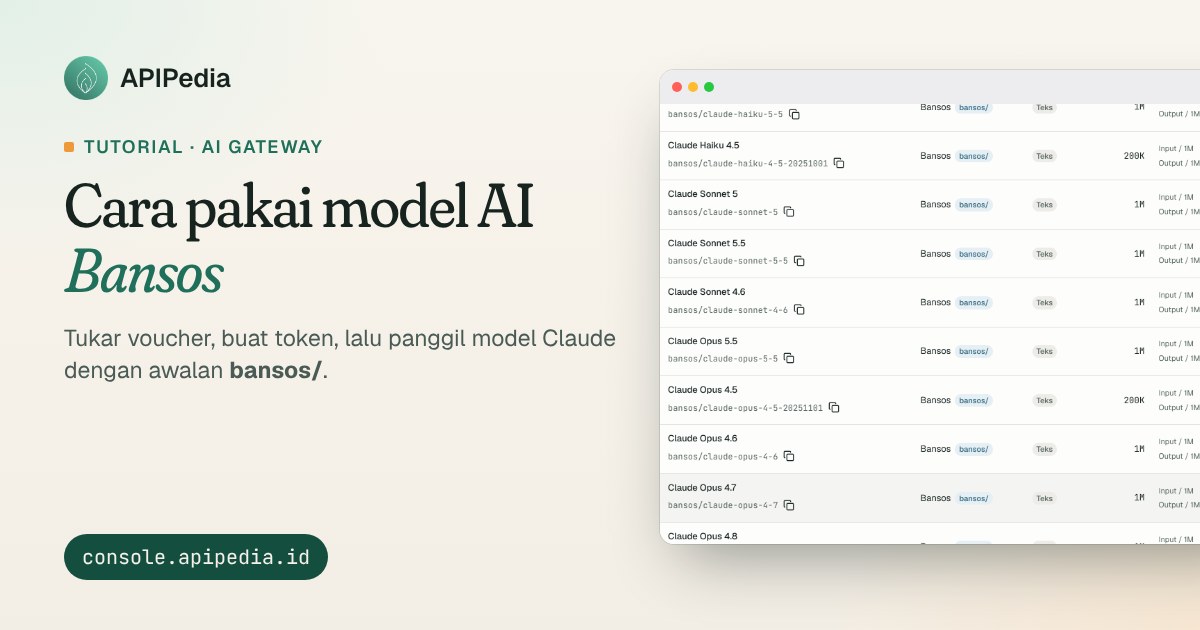
Bansos is a free AI credit program from APIPedia. After exchanging the Social Assistance voucher, you can call the Claude model (Haiku, Sonnet, Opus) via APIPedia's AI Gateway without topping up your balance. The method is just 8 steps: have a console account, exchange vouchers, create a token, then call the model with the prefix bansos/.
What is AI Bansos credit?
Social Assistance Credit is an AI credit gift that comes via voucher. This credit is free, separate from the main AI balance, and specifically for models from social assistance providers. Social assistance credit is valid no later than November 21 2026 at 23.59 WIB; The exact date appears in the success message when the voucher is exchanged.
What needs to be prepared
- Account at console.apipedia.id.
- The social assistance voucher code that you get from the APIPedia admin or community.
Step 1: Make sure you have a console account
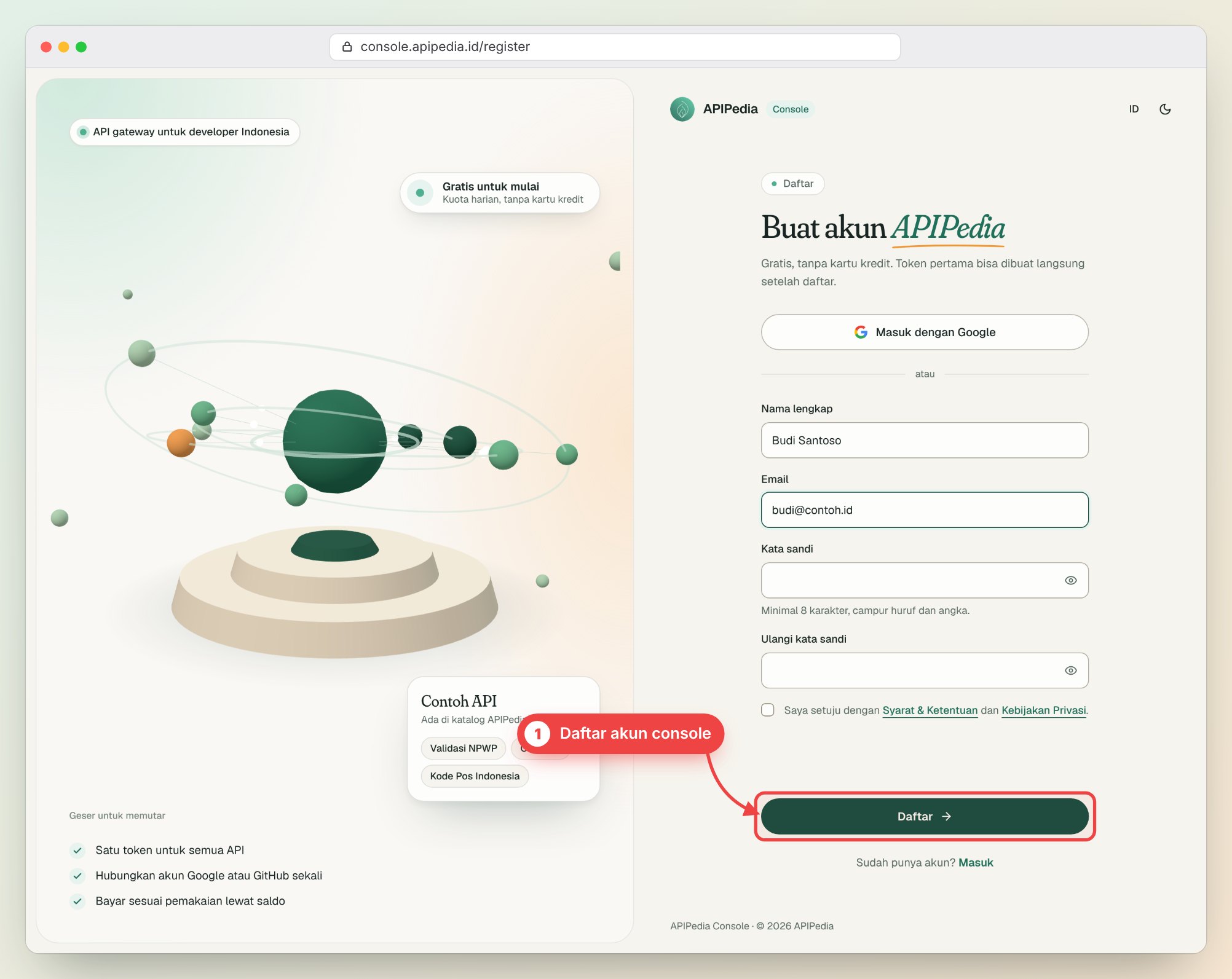
Open console.apipedia.id/register, fill in your name, email and password, then click Register. You can also use the Sign in with Google button. If you already have an account, just log in.
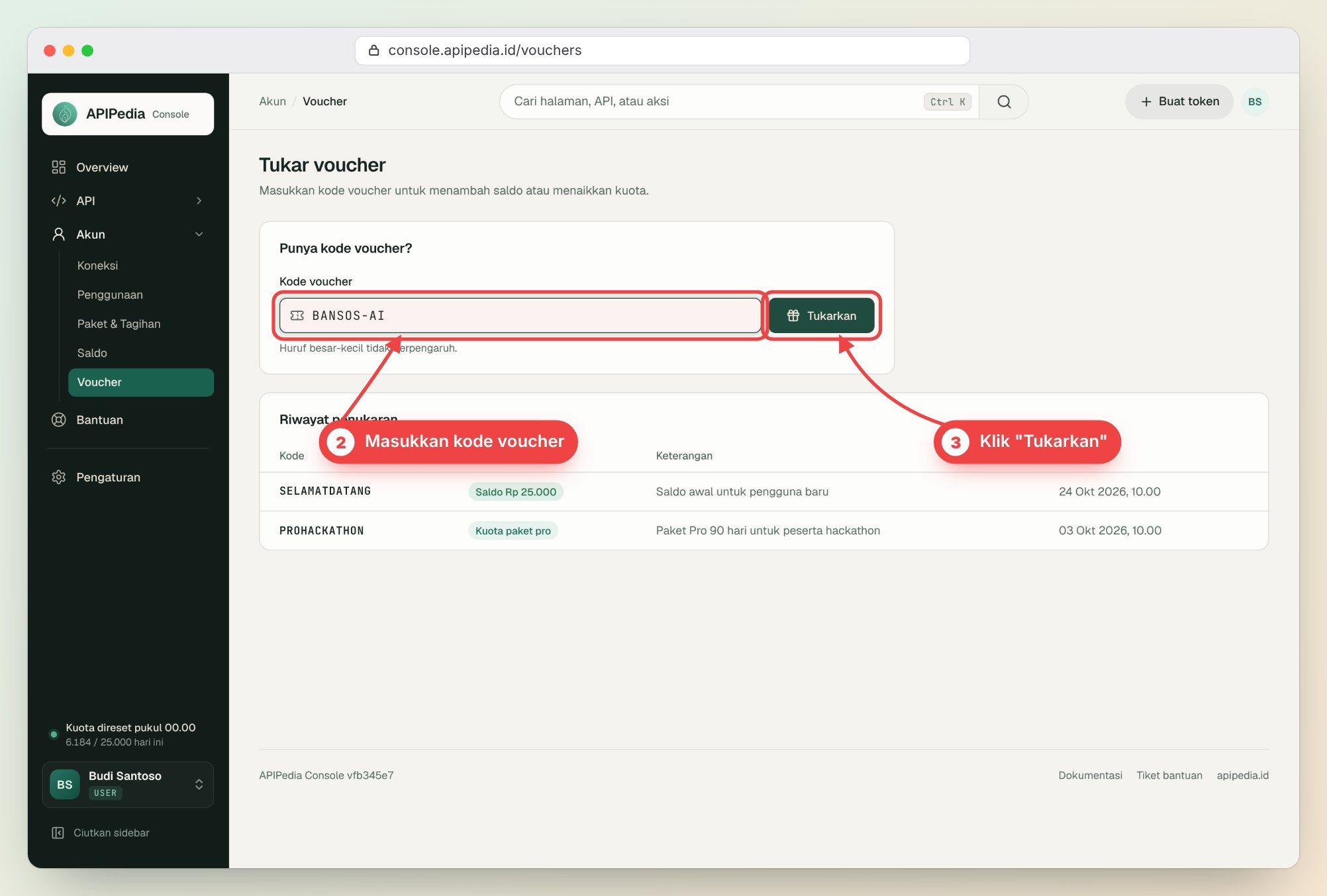
Steps 2 and 3: Go to the voucher page, then enter the code
Open console.apipedia.id/vouchers. Type the voucher code you got in the Voucher code column (cases have no effect), then click Redeem.
Step 4: Redeem successful
If the code is valid, a message will appear: Voucher exchanged along with the credit amount and validity date. Exchanges are also recorded in the Exchange history table.
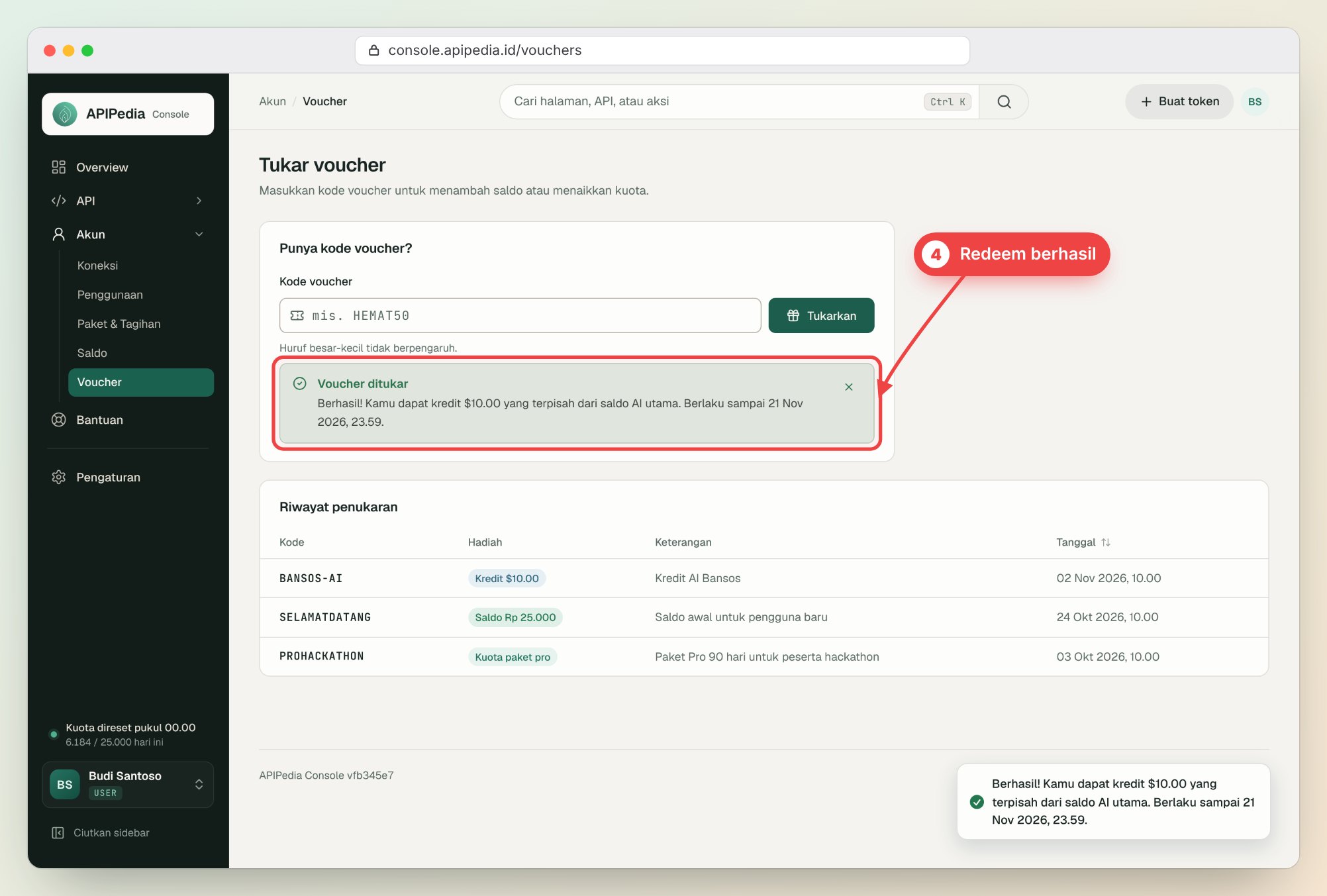
The numbers and dates in the image are examples only. The credit value follows the voucher you exchange.
Step 5: Create a token in the Token menu
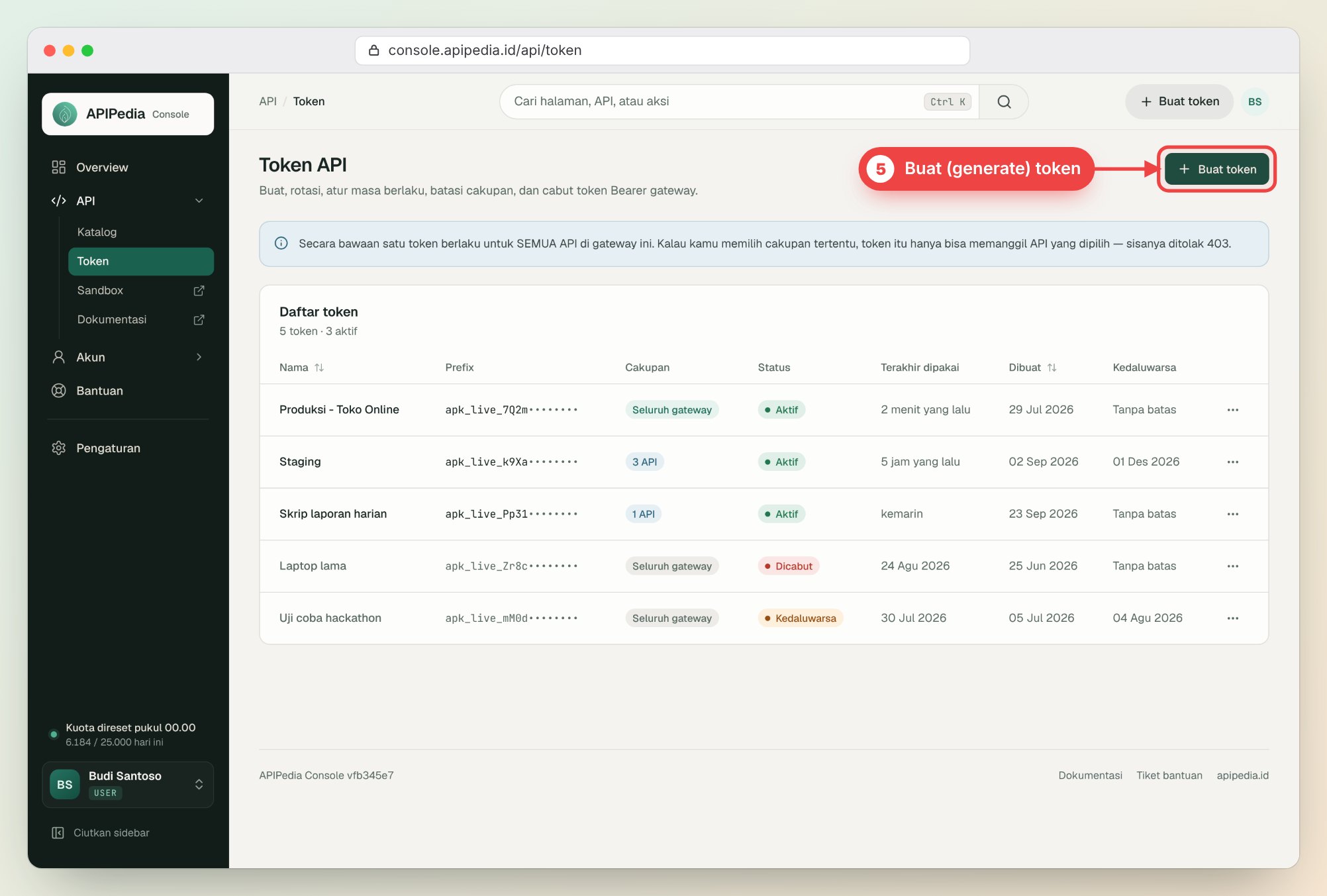
Go to console.apipedia.id/api/token, click Create token, give it a name (e.g. "Laptop"), then copy the token that appears. Tokens are only displayed once, so keep them in a safe place and don't share them.
Steps 6 and 7: Open the AI catalog, social assistance provider filter
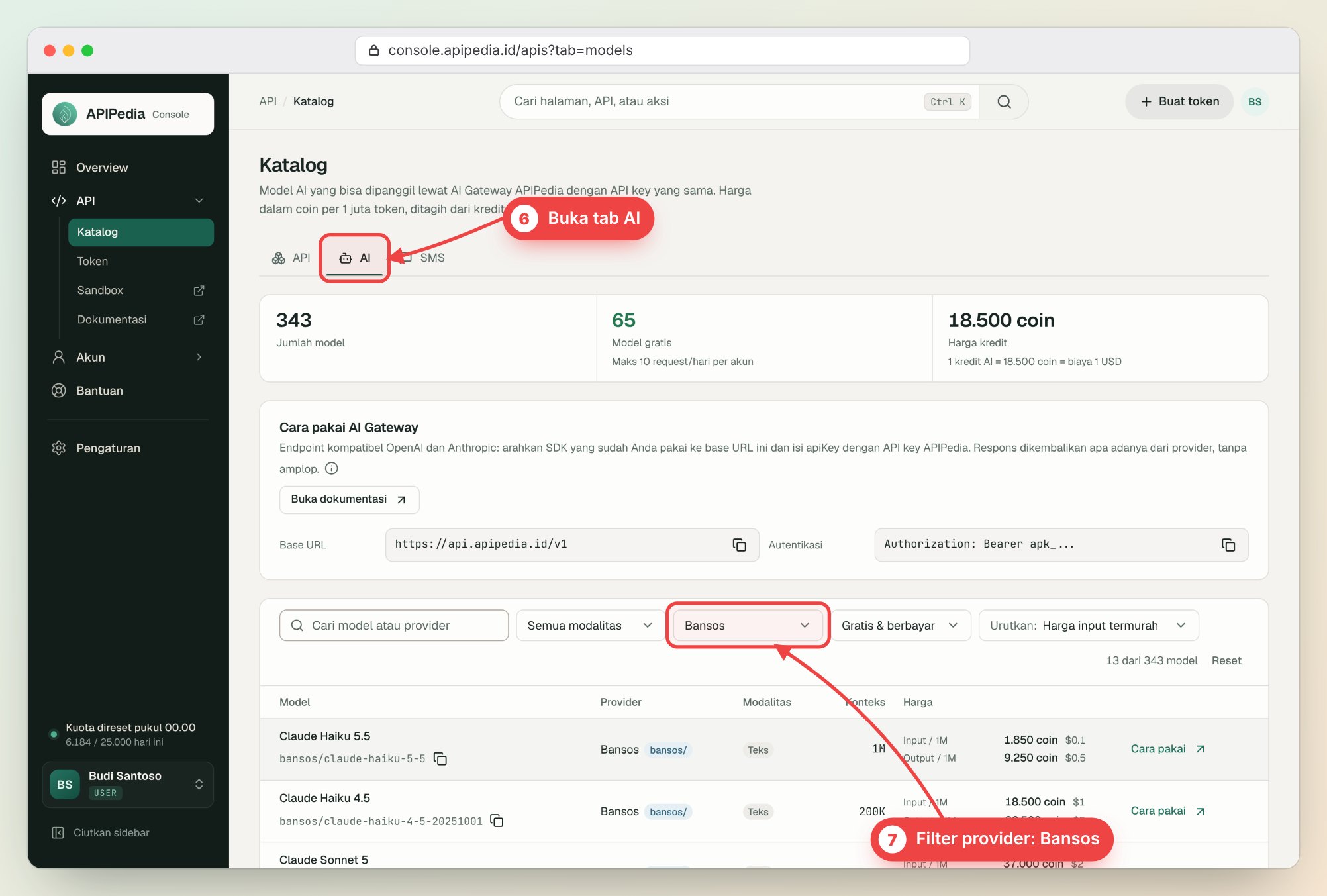
Open console.apipedia.id/apis?tab=models ( Catalog menu, AI tab). In the provider filter column, select Social Assistance. Register directly to filter models that can be used with social assistance credit.
Step 8: Use the model from the social assistance provider
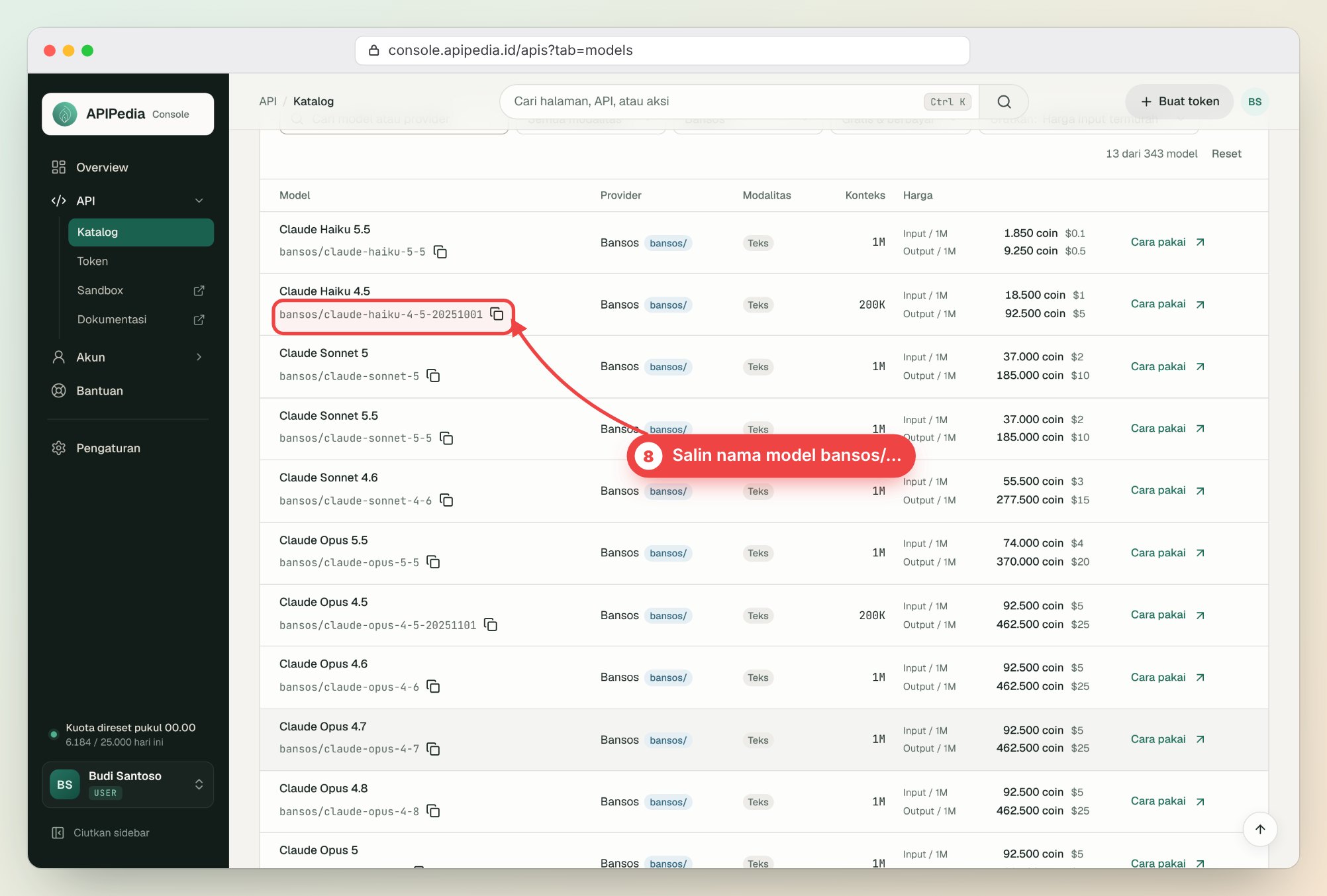
Copy the complete model name with the prefix bansos/, for example bansos/claude-haiku-4-5-20251001, via the copy button next to it. This prefix is what creates the request to use social assistance credit; without that prefix, requests use the default provider and main AI balance.
Example of a call with cURL
Replace TOKEN_ANDA with the token from step 5.
curl https://api.apipedia.id/v1/ai/messages \
  -H "Authorization: Bearer TOKEN_ANDA" \
  -H "Content-Type: application/json" \
  -d '{
    "model": "bansos/claude-haiku-4-5-20251001",
    "max_tokens": 512,
    "messages": [{"role": "user", "content": "Tulis tiga ide judul artikel tentang UMKM digital."}]
  }'
Example with Anthropic SDK (Python)
from anthropic import Anthropic

client = Anthropic(
    base_url="https://api.apipedia.id/v1/ai",
    api_key="TOKEN_ANDA",
)

msg = client.messages.create(
    model="bansos/claude-haiku-4-5-20251001",
    max_tokens=512,
    messages=[{"role": "user", "content": "Halo! Jelaskan API gateway dalam satu paragraf."}],
)
print(msg.content[0].text)
Base URL https://api.apipedia.id/v1/ai can also be used in other applications or tools that support the Anthropic API. Fill in the API key with the APIPedia token and the model name with the prefix bansos/. Complete documentation is at apipedia.id/docs/ai-gateway.
Tips to make social assistance credit last longer
- Use Claude Haiku for light duty; the price is much cheaper per million tokens than Sonnet or Opus. Prices per model appear in the catalogue.
- Limit
max_tokensas required by answer. - Monitor usage in the Usage menu and remaining credit in the console Balance menu.
- Spend before the deadline: unused Social Assistance credits will expire no later than November 21 2026.
General questions
Is social assistance credit really free?
Yes. Social assistance credit is given via vouchers at no cost and without the need to top up the balance.
Why does my request deduct the main AI balance, not the Social Assistance credit?
Make sure the model name starts with bansos/, for example bansos/claude-haiku-4-5-20251001. The model without the prefix is served by the default provider.
My voucher was rejected, why?
It's possible that the code was typed incorrectly, the voucher quota has run out, you've already exchanged it, or the validity period has expired. The rejection message on the voucher page explains why.
Social assistance credit runs out, what next?
You can still use the free model in the catalog (with a daily request limit) or top up your AI balance in the Balance menu for paid models.
Are there any problems? Contact admin
If the voucher cannot be exchanged or the model call fails, contact the admin via WhatsApp or create a ticket in the console Help menu. Include the voucher code and any error messages that appear so they can be handled quickly.
Topics: #tutorial #ai-gateway #bansos #claude
${c.about}
Tim APIPedia — Tim Engineering APIPedia
Tim engineering di balik APIPedia yang membangun dan memelihara API data Indonesia - ongkir, OCR KTP, data wilayah, BMKG, hingga server MCP - dan menulis panduan integrasinya dari pengalaman langsung.