WordPress Core RCE Flaw Attacked 62,969 Times a Day: Update to 7.1.4 Now
By Tim APIPedia, Tim Engineering APIPedia · Published · Updated · 9 min read
Race conditions when updating core WordPress 4.7–7.1.3 can result in RCE without logging in and mass scanning. This is the safe version, how to check, mitigate and detect.
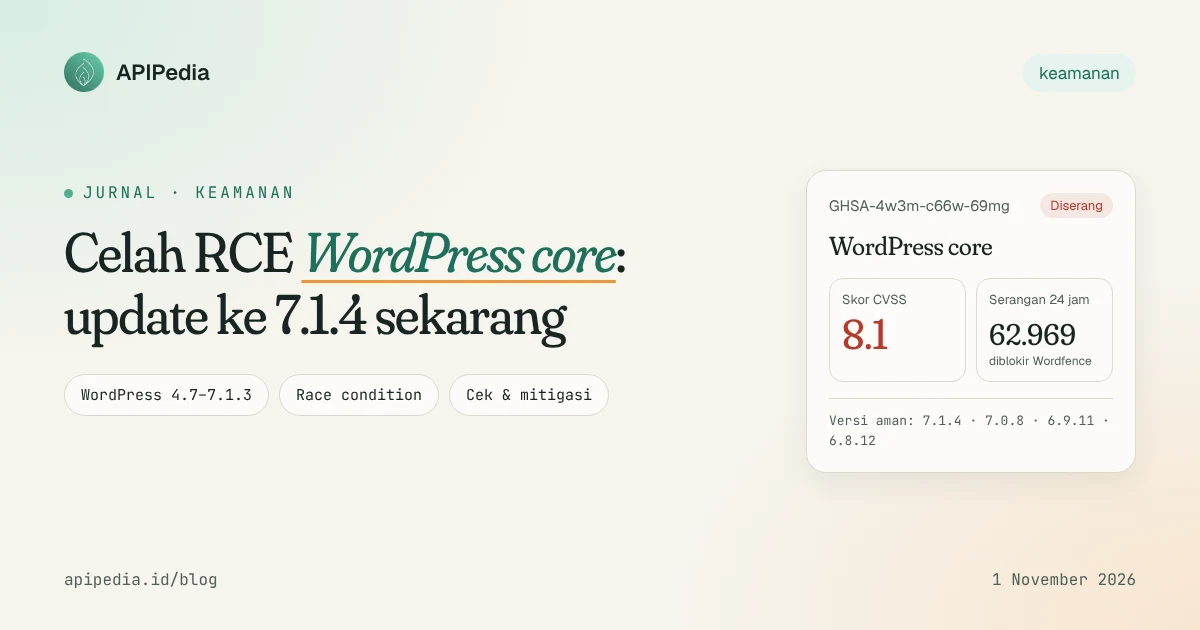
The RCE WordPress core flaw patched in version 7.1.4 was a race condition during the update process: during that brief window, an attacker without a login could run PHP code on the server. This flaw affected WordPress 4.7 through 7.1.3, and within 24 hours Wordfence had blocked 62,969 attack attempts.
WordPress is used very widely in Indonesia, from personal blogs, WooCommerce stores, to agency and campus portals. So while the exploit requirements are narrow, the scale of the scan makes this loophole worth addressing today, not next week.
This article summarizes what the vulnerability is, who is affected, safe versions per branch, how to check, temporary mitigation, and how to detect signs of attack.
What exactly is this gap?
WordPress released version 7.1.4 on October 28, 2026 as a security release. The most serious issue in it is noted in the official release notes as "race condition during core updates that could lead to remote code execution", reported by researcher Umut Bayram.
This flaw is listed as GitHub advisory GHSA-4w3m-c66w-69mg with a CVSS score of 8.1. Per an October 30, 2026 The Hacker News article, this vulnerability does not yet have a CVE number.
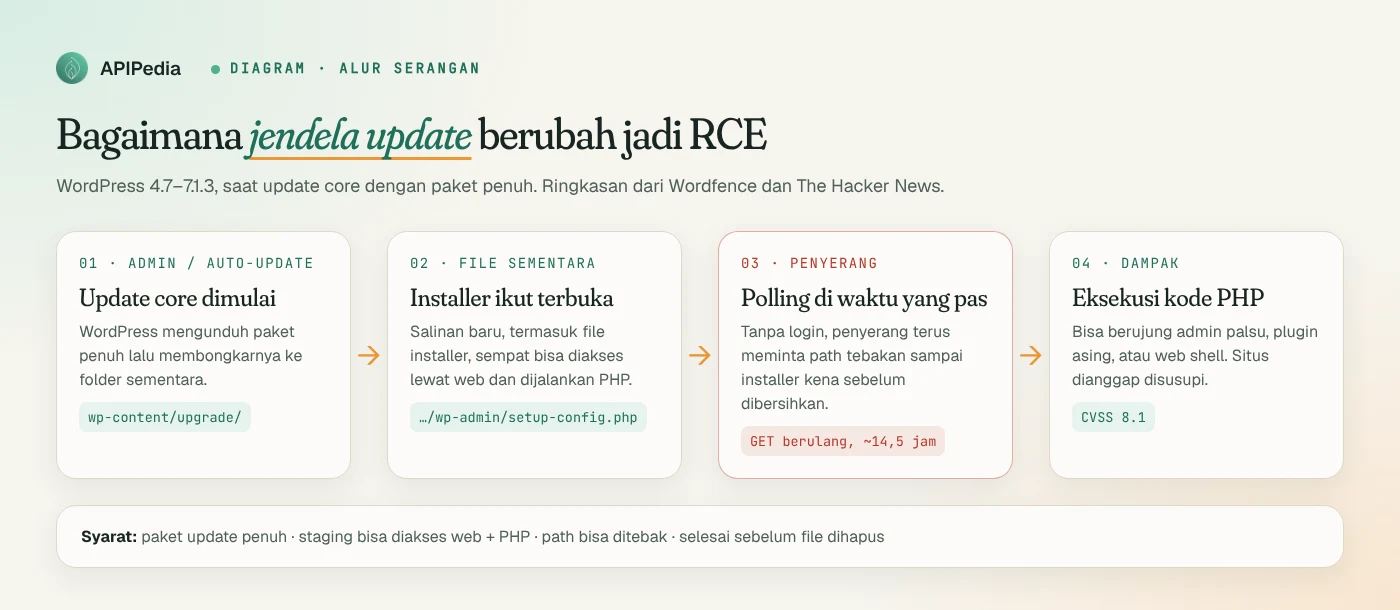
According to Wordfence's explanation quoted by The Hacker News, the mechanism is like this:
- When a core update uses the full package, WordPress unpacks the new files into a temporary directory whose location is predictable and can be accessed via the web, namely under
wp-content/upgrade. - The temporary copy also carries the WordPress installer files.
- An attacker who requests the installer at the right time, before WordPress deletes temporary files, can get to the PHP code execution.
Wordfence calls it a "very narrow" time window. But attackers don't need to be so lucky; simply keep repeating the request until that window opens.
What conditions must be met in order to be exploited?
Wordfence lists four conditions. Everything must be fulfilled simultaneously:
- There is a core update with a full package containing installer files.
- The staging directory is publicly accessible via the web and PHP is run there.
- The staging path can be guessed or discovered by the attacker.
- The attacker finishes before WordPress cleans up temporary files.
The second most important requirement for server admins. In many shared and VPS hosting with default configuration, folders in wp-content can indeed be accessed via the web and run PHP. That's why the mitigations below focus on blocking web access to those folders.
How busy are the attacks?
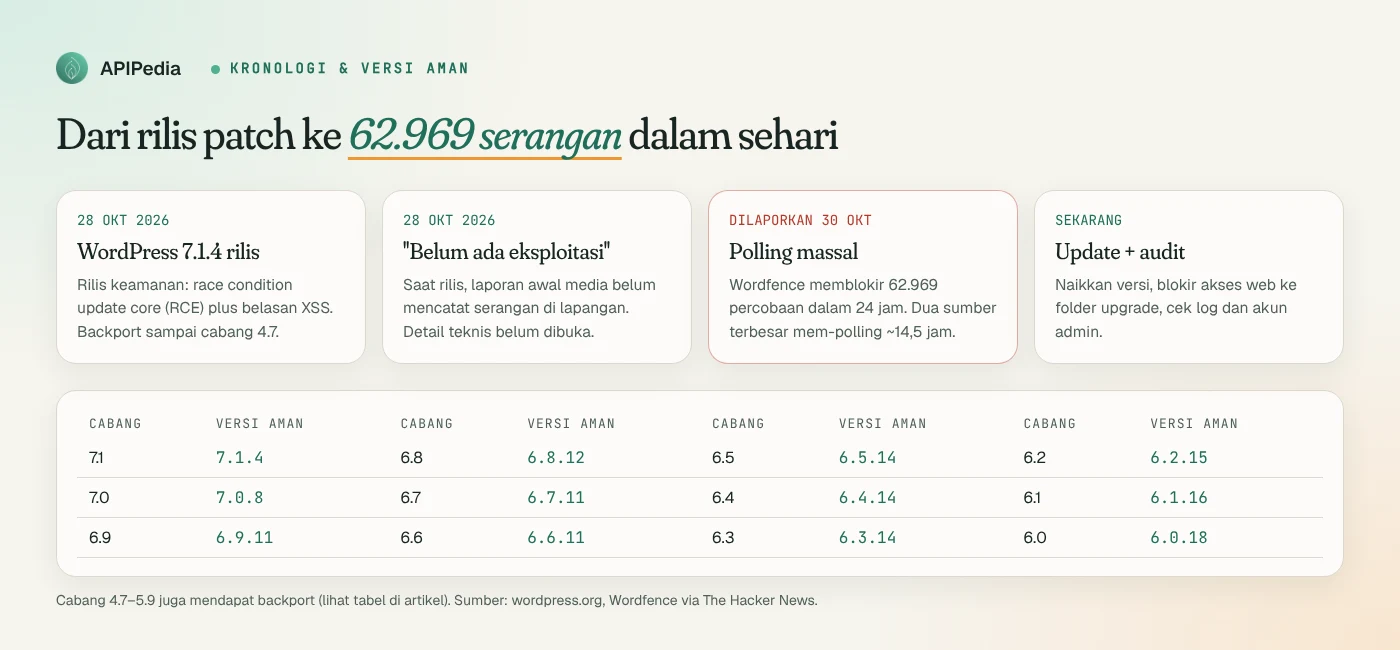
When 7.1.4 was released, early reports such as SecurityOnline still wrote that there were no known exploits in the field, and WordPress itself did not disclose technical details. The picture changed two days later.
The Hacker News (October 30, 2026) reported Wordfence blocked 62,969 attacks targeting this vulnerability in 24 hours. The two largest attack sources continued to poll a small group of sites for approximately 14.5 hours. They ask for paths like setup-config.php and try many variations of staging directory names and version names.
The pattern is clear: attackers don't wait for admin updates; they wait at the door, hoping for an update to happen while they're knocking.
Who is affected and which versions are safe?
All WordPress 4.7 through 7.1.3 are vulnerable to this race condition. WordPress backports fixes to old branches as a "courtesy", even though only the latest version is actively supported. WordPress 4.6 and below no longer receive security updates.
Here's the safe version per branch according to the official versions page on wordpress.org:
| Branch | Safe version | Number of applicable gaps |
|---|---|---|
| 7.1 | 7.1.4 | All (latest version) |
| 7.0 | 7.0.8 | 22 |
| 6.9 | 6.9.11 | 22 |
| 6.8 / 6.7 | 6.8.12 / 6.7.11 | 20 |
| 6.6 | 6.6.11 | 19 |
| 6.5 / 6.4 | 6.5.14 / 6.4.14 | 17 |
| 6.3 / 6.2 / 6.1 / 6.0 | 6.3.14 / 6.2.15 / 6.1.16 / 6.0.18 | 9 |
| 5.9 | 5.9.20 | 9 |
| 5.0 – 5.8 | 5.0.31, 5.1.28, 5.2.30, 5.3.27, 5.4.25, 5.5.24, 5.6.23, 5.7.21, 5.8.19 | 6 |
| 4.9 / 4.8 / 4.7 | 4.9.35 / 4.8.34 / 4.7.39 | 4 / 2 / 2 |
| 4.6 and below | No patches | Branch upgrade required |
A note about the numbers: the wordpress.org page mentions a total of 22 vulnerabilities, while the detailed list contains 17 security issues plus root certificate updates (due to eMudhra revocation). SecurityOnline also wrote 17 issues. Search Engine Journal uses the number 22. For patch decisions, this difference doesn't change anything: all of the above branches need to upgrade to their safe versions.
What's patched in 7.1.4?
In addition to the RCE race condition, this release closes many stored XSS. Most require a minimum Contributor account, so the risks are high for multi-author sites, news portals, and college sites that open multiple accounts:
- Six issues in the Interactivity API, including XSS via URL
javascript:, event handler binding, and prototype pollution in the context namespace. - Stored XSS in Customizer selective refresh, block delimiter, Comments Pagination and Post Navigation Link block labels, as well as personal data deletion request screen.
- Information leak: Unpublished Customizer changes can be seen by visitors without logging in.
- Permissions issue: custom roles that can moderate comments can read, modify, and delete notes on posts that they are not authorized to edit.
How do I check my WordPress version?
If you have shell access, WP-CLI is the fastest. Otherwise, read directly file version.php:
# Di folder root WordPress
wp core version

# Tanpa WP-CLI
grep "wp_version =" wp-includes/version.php

# Banyak situs di satu server (mis. /var/www)
find /var/www -path '*/wp-includes/version.php' \
  -exec grep -H "wp_version =" {} \;
Compare the results with the table above. For example, 6.8.11 means still vulnerable; must be 6.8.12 or later.
How to patch safely?
The problem is ironic: this gap actually appears during the update process. So the recommended order is to first close web access to the staging folder, then run the update.
Step 1: block web access to wp-content/upgrade
The WordPress update process writes to this folder via the filesystem, not via HTTP, so blocking web access to it does not interfere with updates. For Nginx, add in block server before block location ~ \.php$:
location ^~ /wp-content/upgrade/ {
    deny all;
}
Prefix ^~ is important for this rule to win over PHP regex blocks. For Apache, add at root .htaccess before block # BEGIN WordPress:
RedirectMatch 403 ^/wp-content/upgrade/Test the results. The expected response is 403:
sudo nginx -t && sudo systemctl reload nginx
curl -s -o /dev/null -w "%{http_code}\n" https://situsanda.id/wp-content/upgrade/
Step 2: update the core
# Naik ke rilis minor terbaru di cabang yang sama (mis. 6.9.x -> 6.9.11)
wp core update --minor

# Atau langsung ke versi terbaru
wp core update

# Verifikasi versi dan integritas file core
wp core version
wp core verify-checksums
Without shell, go to Dashboard > Updates. Sites with active minor auto-updates usually upgrade themselves, but still check the version; don't assume.
How to detect whether my site has been attacked?
Wordfence suggests looking for suspicious requests to PHP files under wp-content/upgrade, as well as admin accounts, plugins, or unknown PHP files. The following command helps:
# 1) Permintaan ke file PHP di folder upgrade (log Nginx; sesuaikan path Apache)
zgrep -hE '/wp-content/upgrade/[^ ]*\.php' /var/log/nginx/access.log* \
  | awk '{print $1}' | sort | uniq -c | sort -rn | head -20

# 2) Yang berhasil dijawab 200 perlu diperiksa lebih dulu
zgrep -hE '"(GET|POST) [^"]*/wp-content/upgrade/[^"]*\.php[^"]*" 200 ' /var/log/nginx/access.log*

# 3) Sisa file PHP di folder staging (normalnya kosong setelah update)
find wp-content/upgrade -type f -name '*.php'

# 4) Akun administrator, urutkan berdasarkan tanggal daftar
wp user list --role=administrator --fields=ID,user_login,user_email,user_registered

# 5) File PHP yang berubah sejak patch rilis (di luar cache)
find . -name '*.php' -newermt '2026-10-28' -not -path './wp-content/cache/*'

# 6) Plugin aktif; cari nama yang tidak Anda pasang
wp plugin list --status=active
If you find a 200 response for an installer in the upgrade folder, an unknown new admin, or an unfamiliar PHP file, assume the site has been compromised: isolate it, change all passwords and salts to wp-config.php, restore from a clean backup, then do a thorough audit. A request answered with 403 or 404 means the scan failed, but the IP is still eligible to be blocked.
Quick checklist for admins
| Step | Command/location | Target |
|---|---|---|
| Check version | wp core version | According to the safe version table |
| Close the staging folder | Nginx location ^~ / Apache RedirectMatch | HTTP 403 |
| Core updates | wp core update | 7.1.4 or branch backport |
| Check integrity | wp core verify-checksums | No core files changed |
| Check logs | zgrep wp-content/upgrade | There is no 200 to the PHP file |
| Check account | wp user list --role=administrator | No foreign admins |
| Tidy up your account | Users > All Users | Delete unused Contributors/Authors |
If your server is also running an older version of PHP, also check our article about PHP2Shell (CVE-2026-109618 & CVE-2026-109619). Loopholes at the PHP level and loopholes in WordPress are often attacked by the same scanners.
FAQs
Does this vulnerability have a CVE number?
Per The Hacker News report dated October 30, 2026, not yet. The reference is GitHub advisory GHSA-4w3m-c66w-69mg with CVSS 8.1. Monitor NVD if your organization requires a CVE number for tracking.
My site is auto-updated. Is it safe?
Most likely it has been upgraded, but make sure it is wp core version or on the Dashboard. Keep checking admin logs and accounts, because attacks target the update moment itself.
Does it require a login to exploit?
No. According to Wordfence, unauthenticated attackers can exploit it as long as the update window conditions are met. What requires a minimum Contributor account is most of the other XSS in this release.
Will blocking wp-content/upgrade break updates?
No. WordPress writes and reads that folder via the server filesystem. Rules in Nginx or Apache only deny access from outside browsers or bots.
I'm still using WordPress 4.6 or earlier. What to do?
That branch no longer accepts security patches. Plan an upgrade to the latest branch, test it in staging first, and in the meantime apply blocking of the upgrade folder and WAF.
Source
- WordPress.org: Version 7.1.4 (list of fixes and backport versions)
- The Hacker News: WordPress RCE Flaw Draws Nearly 63,000 Attack Attempts in Just 24 Hours
- SecurityOnline: WordPress 7.1.4 Security Release
- Search Engine Journal: WordPress Announces Another Security Release, Version 7.1.4
- GitHub Advisory GHSA-4w3m-c66w-69mg
Topics: #keamanan #wordpress #rce #patch #php
${c.about}
Tim APIPedia — Tim Engineering APIPedia
Tim engineering di balik APIPedia yang membangun dan memelihara API data Indonesia - ongkir, OCR KTP, data wilayah, BMKG, hingga server MCP - dan menulis panduan integrasinya dari pengalaman langsung.