Claude Meetings: Claude can now join Google Meet meetings and immediately create documents
By Tim APIPedia, Tim Engineering APIPedia · Published · 8 min read
Claude Meetings brings Claude into Google Meet meetings to take notes and create whiteboards during discussions. Beta for Team and Enterprise plans.
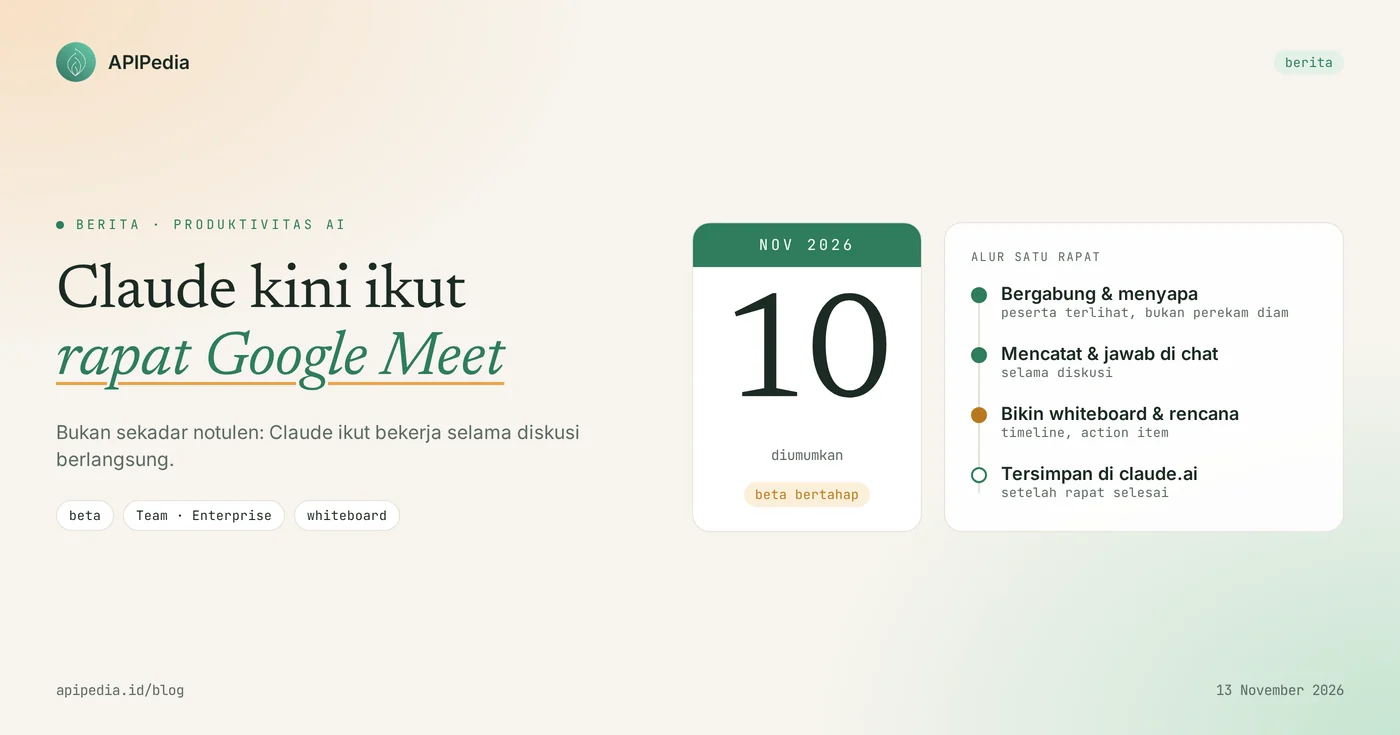
Claude Meetings is Anthropic's new feature that inserts Claude into a team video call as a participant, then creates documents, whiteboards, and work plans while the meeting is still going on. The feature was announced on November 10, 2026 and is starting to roll out gradually in beta for Claude Team and Enterprise plans, with Google Meet as the only supported platform at launch.
The difference with regular note-taking bots: Claude doesn't just summarize after the meeting is over, but also works during the discussion. This article discusses how it works, who can use it, privacy rules for external guests, other features released at the same time, and what your team needs to prepare.
Quick summary
| Items | Details |
|---|---|
| Feature name | Claude Meetings |
| Announced | November 10, 2026, at the Anthropic event in San Francisco |
| Status | Beta, rolled out gradually |
| Package | Claude Team and Enterprise |
| Meeting platform | Google Meet (other platforms to come; Zoom and Microsoft Teams not yet supported) |
| Claude's role | Participants can be seen taking notes, answering in chat, making plans, timelines, and whiteboards |
| External guests | Do not participate unless permitted by admin; logs out automatically when an external guest logs in |
| After the meeting | Notes, action items, and all created materials are stored on claude.ai |
What is Claude Meetings?
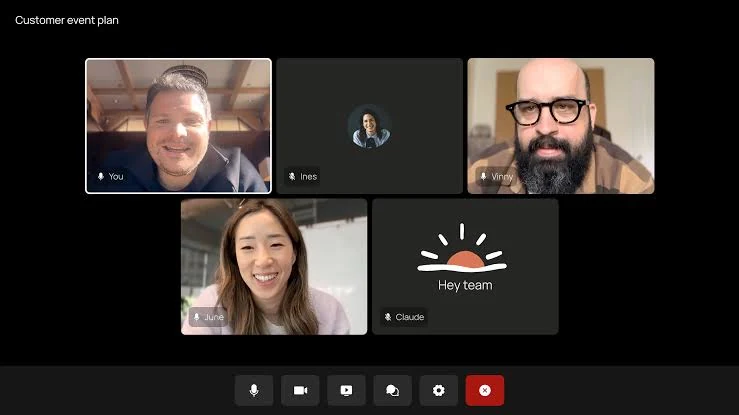
Claude Meetings is a way of adding Claude to a video meeting as a participant visible to everyone, rather than a hidden recording device. When joining, Claude introduced himself and put a notification in the meeting chat, so all participants knew there was AI on the call.
During the meeting, the team can ask Claude to draw up a plan, create a timeline, tidy up the task list, answer questions via chat, or pull data from applications that are connected to Claude. The result is an artifact that can be directly opened and edited together, for example a document or whiteboard.
How does Claude Meetings work?
Claude Meetings works in 3 stages: invited to the meeting, working during the discussion, then submitting the results to claude.ai after the meeting ends. The entire flow is visible to participants, as Claude appears as a single participant tile on the Google Meet screen.
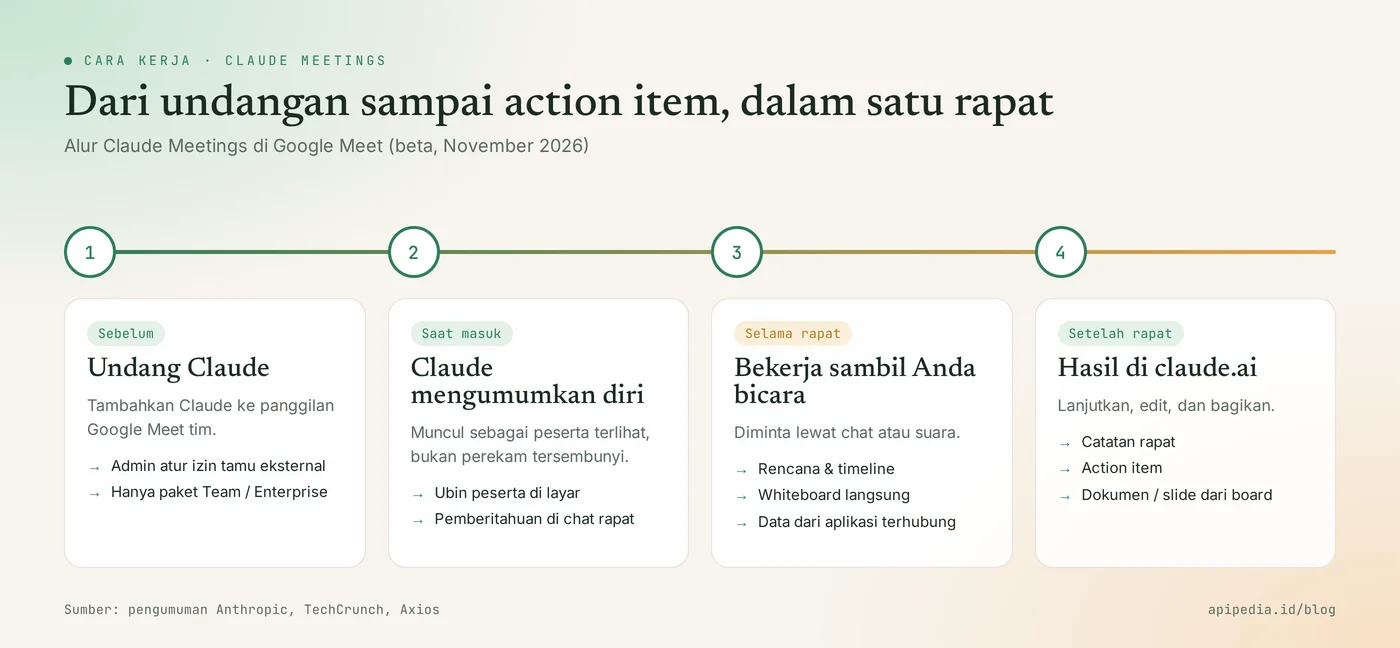
- Before the meeting: team members add Claude to the Google Meet call. The admin determines whether Claude can attend meetings involving guests from outside the organization.
- When joining: Claude identifies himself as a participant and places a notification in the meeting chat.
- During the meeting: participants make requests via chat or voice, for example "Claude, please start whiteboarding". Claude drafted a plan, timeline, and to-do list as the discussion progressed.
- After the meeting: meeting notes, action items, and other materials created by Claude are available at claude.ai. You can also ask Claude for a summary or timeline after the call is finished.
A whiteboard that fills up while people are talking
Claude Whiteboards is integrated directly with Claude Meetings, so idea boards can be formed while the team is discussing. After brainstorming is complete, the contents of the whiteboard can be converted into a text document or presentation slide.
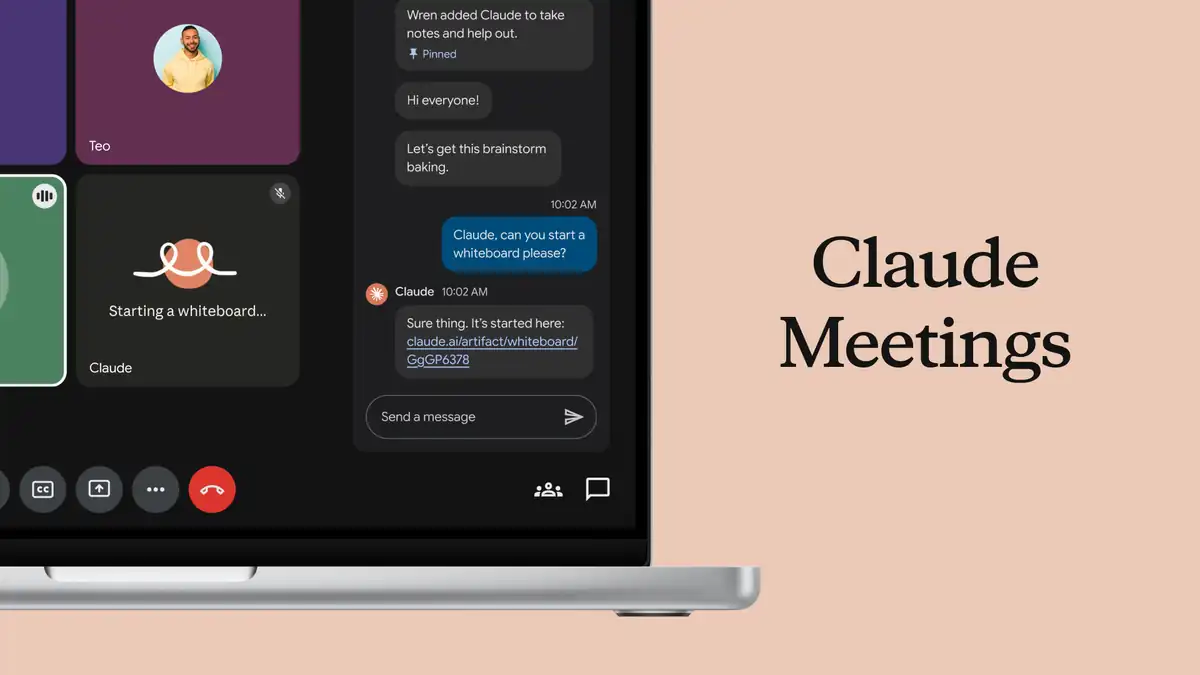
The example above shows the flow: a participant types a request in Google Meet chat, Claude replies with a whiteboard link, and Claude's tile on the screen displays the status "Starting a whiteboard...". A notification that Claude was added to take notes and help was pinned to the top of the chat.
Who can use Claude Meetings?
Claude Meetings is currently only available to Claude Team and Enterprise customers whose meetings run on Google Meet. Free, Pro, and Max package users will not receive this feature as of November 13, 2026.
- Plans: Team and Enterprise, beta status.
- Platform: Google Meet only at launch. Anthropic said support for other meeting platforms would follow, with no specific dates.
- Gradual rollout: Anthropic's official announcement page marked Meetings as "coming soon", so this feature may not appear in all workspaces on the same day.
- Usage limits: whiteboards count towards the plan's usage limit, and boards created in calls are subject to Claude Meetings pricing terms.
What are the privacy rules for external guests?
Claude will not join a call that has external guests unless the admin has allowed it, and Claude exits automatically when an external guest enters a meeting in progress. This rule keeps internal meetings internal by default.
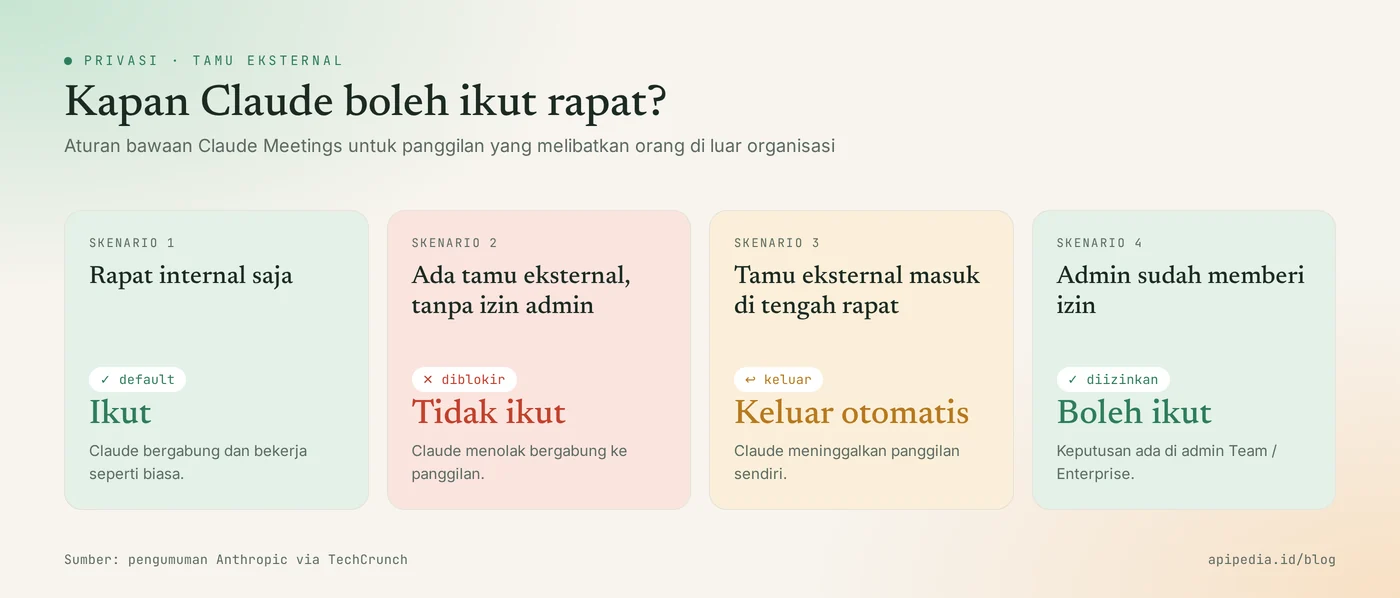
- Internal meetings only: Claude can join and work as usual.
- Meeting with external guests, without admin permission: Claude did not join.
- An external guest walks in in the middle of the meeting: Claude automatically leaves the call.
- Admin has given permission: Claude may attend meetings with external guests. This decision is completely in the hands of the Team or Enterprise admin.
Several things have not been explained in detail in the launch report, for example what data from calls is stored and for how long. If your organization has a strict data protection policy, check Claude's documentation and admin settings before enabling it broadly. For organizations in Indonesia, meetings discussing customer data also relate to the obligations of Law Number 27 of 2022 concerning Protection of Personal Data; consult its implementation with your legal team.
What features are launching simultaneously?
Along with Claude Meetings, Anthropic is releasing three other features on November 10, 2026: Claude Whiteboards, Claude Sheets, and Claude Data. These three make Claude more like an office suite and are available for more packages than Meetings.
| Feature | Function | Status | Package |
|---|---|---|---|
| Claude Meetings | Claude joined the video meeting and worked during the discussion | Beta | Team, Enterprise |
| Claude Whiteboards | Shared visual board for brainstorming, timeline, and action items | Beta | All plans are paid |
| Claude Sheets | Multi-tab spreadsheet with formulas and dropdowns, exportable to Excel | Beta | All plans are paid |
| Claude Data | Dashboards and summaries from data warehouses or CRM (formerly Claude Dashboards) | Generally available | Paid plan |
Anthropic also introduced interactive connectors, which open partner apps directly within Claude's conversations. Whiteboards, Sheets, and Data are available on web, desktop, and mobile.
What does it mean for teams in Indonesia?
Claude Meetings is most useful for Indonesian teams who already meet on Google Meet and subscribe to Claude Team or Enterprise, because this feature can cut down on administrative work after meetings, such as copying notes into a plan or tracker. Its value is most felt in planning meetings, retrospectives, and brainstorming that generate a lot of follow-up.
- Fact: this feature only works on Google Meet. Teams meeting on Zoom or Microsoft Teams will need to wait.
- Fact: Claude can pull data from connected apps during meetings, so connector permissions determine what can be displayed.
- Analysis: since Claude can display internal data in the middle of a call, external guest rules should be left strict until the team understands his behavior.
- Analysis: Claude's work during the meeting remains a draft. Determine who checks minutes and action items before they are shared outside the team.
Sensible preparation steps before trying:
- Check packages and platforms. Make sure the workspace is using Claude Team or Enterprise and the meeting is running on Google Meet.
- Review admin settings. Decide whether Claude can join meetings involving clients or partners.
- Connector audit. Check the applications connected to Claude, as their data can be called up during the meeting.
- Notify participants. Even though Claude has announced himself, he also stated in the meeting invitation that AI would take notes.
- Test it in a small internal meeting. Starting from weekly team meetings before using it at large meetings.
Frequently asked questions
Can Claude Meetings be used on Zoom or Microsoft Teams?
Not yet. At launch, Claude Meetings only supports Google Meet. Anthropic said support for other platforms would follow without giving a date.
Can Claude Pro users use Claude Meetings?
No. Beta Claude Meetings is specifically for Team and Enterprise packages. Pro and Max users can still use Claude Whiteboards and Claude Sheets which are available on all paid packages.
Do meeting participants know Claude is on the call?
Yes. Claude joined as a visible participant, identified himself, and posted a notification in the meeting chat.
What happens if there are guests from outside the company?
Claude does not join meetings with external guests unless the admin allows it. If external guests enter while the meeting is already underway, Claude exits automatically.
Where are meeting results stored?
Meeting notes, action items, and other materials Claude created during the call are available on claude.ai after the meeting is over, so the team can continue its work there.
Also read: how to connect APIPedia to Claude via MCP so that Claude can use Indonesian data such as region, holidays and exchange rates, as well as a review of Claude Haiku 5.5, a fast and economical model from Anthropic.
Source
- Claude: More ways to work with Claude (Sheets, Whiteboards, interactive connectors)
- TechCrunch: Anthropic launches Claude Meetings to turn workplace discussions into plans and tasks
- Axios: Anthropic wants Claude to join your meetings
- Gulf News: Claude can now join work meetings and complete tasks as you talk
- TechRadar: Claude can now join your weekly meeting to take notes
Topics: #berita #claude #anthropic #google meet #ai #produktivitas
About the author
Tim APIPedia — Tim Engineering APIPedia
Tim engineering di balik APIPedia yang membangun dan memelihara API data Indonesia - ongkir, OCR KTP, data wilayah, BMKG, hingga server MCP - dan menulis panduan integrasinya dari pengalaman langsung.