.NET 11 Official Release: C# 15, MCP Templates, and End of .NET 8 and 9 Support
By Tim APIPedia, Tim Engineering APIPedia · Published · 7 min read
.NET 11 release November 10, 2026 brings C# 15 and MCP server templates, while .NET 8 and 9 run out of support. This is the impact and upgrade steps.
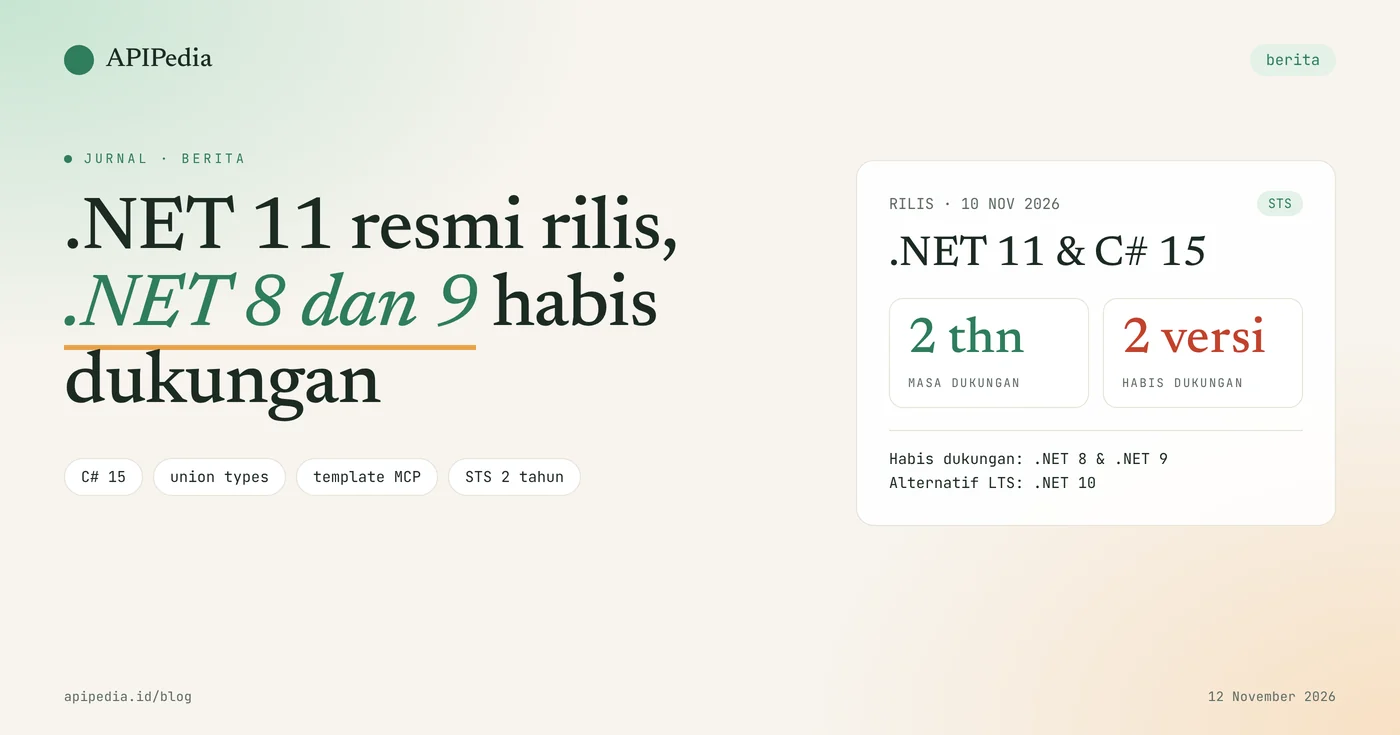
.NET 11 was officially released by Microsoft on November 10, 2026 with C# 15 as the default language, and on the same day .NET 8 and .NET 9 stopped receiving patches. This release has Standard Term Support (STS) status with a support period of two years, while .NET 10 remains the Long Term Support (LTS) option.
For the team in Indonesia, the important news is twofold: new features that can be used, and old applications that now run in the runtime without security fixes. This article summarizes what's changed, who's affected, and a safe upgrade sequence.
Quick summary
| Items | Details |
|---|---|
| What happened | .NET 11 final release, announced at the opening of .NET Conf 2026 |
| Release date | November 10, 2026 |
| Type of support | STS, two years |
| Built-in language | C# 15 (union types, closed hierarchies) and F# 11 |
| Out of support | .NET 8 and .NET 9, as of November 10, 2026 |
| Long term alternative | .NET 10 (LTS) |
| New to AI | Template dotnet new mcpserver is in the SDK |
| Tools required | .NET 11 SDK with Visual Studio 2026 or VS Code + C# Dev Kit |
What happened?
Microsoft released the final version of .NET 11 on November 10, 2026, coinciding with the first day of its .NET Conf 2026 online conference. The official announcement mentioned union types in C# 15, faster developer tools, hundreds of performance optimizations, and new capabilities for web, mobile, desktop, and AI applications.
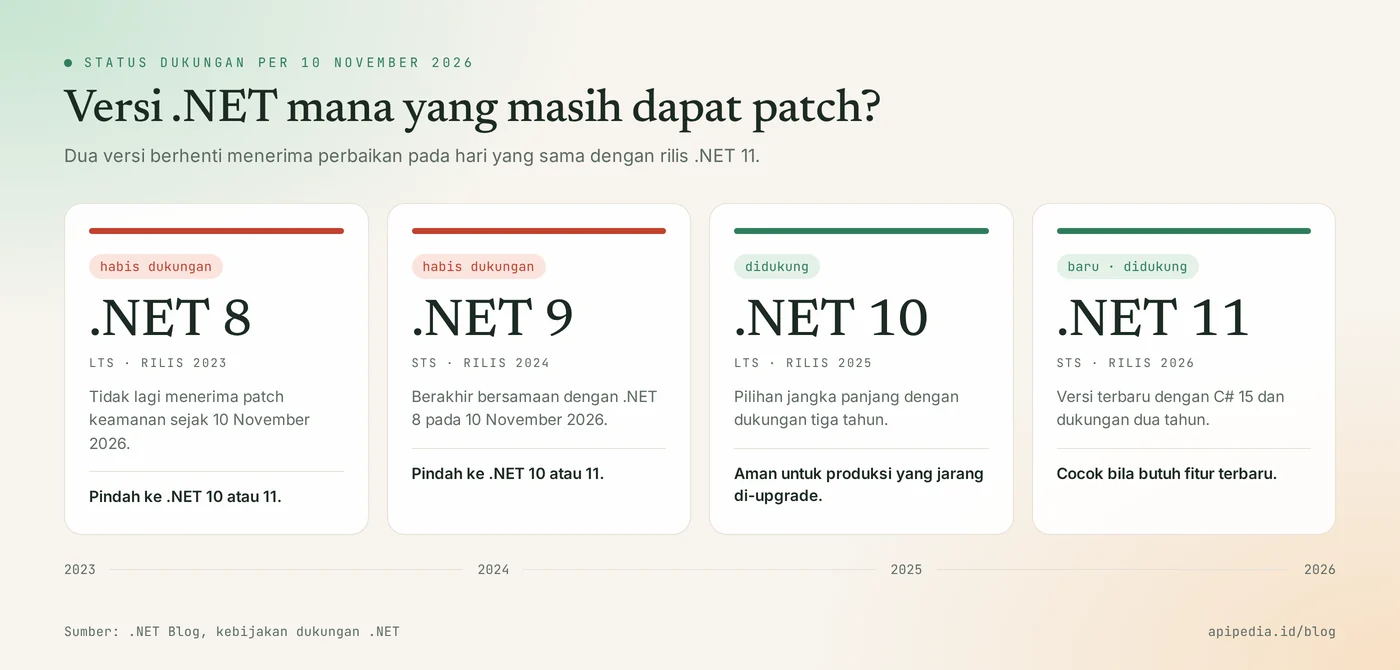
On the same date, .NET 8 and .NET 9 reached end of support. Both ended at the same time because the STS release support period was extended to 24 months, so .NET 9 (STS, release 2024) was completed on the same day as .NET 8 (LTS, release 2023).
What's new in .NET 11?
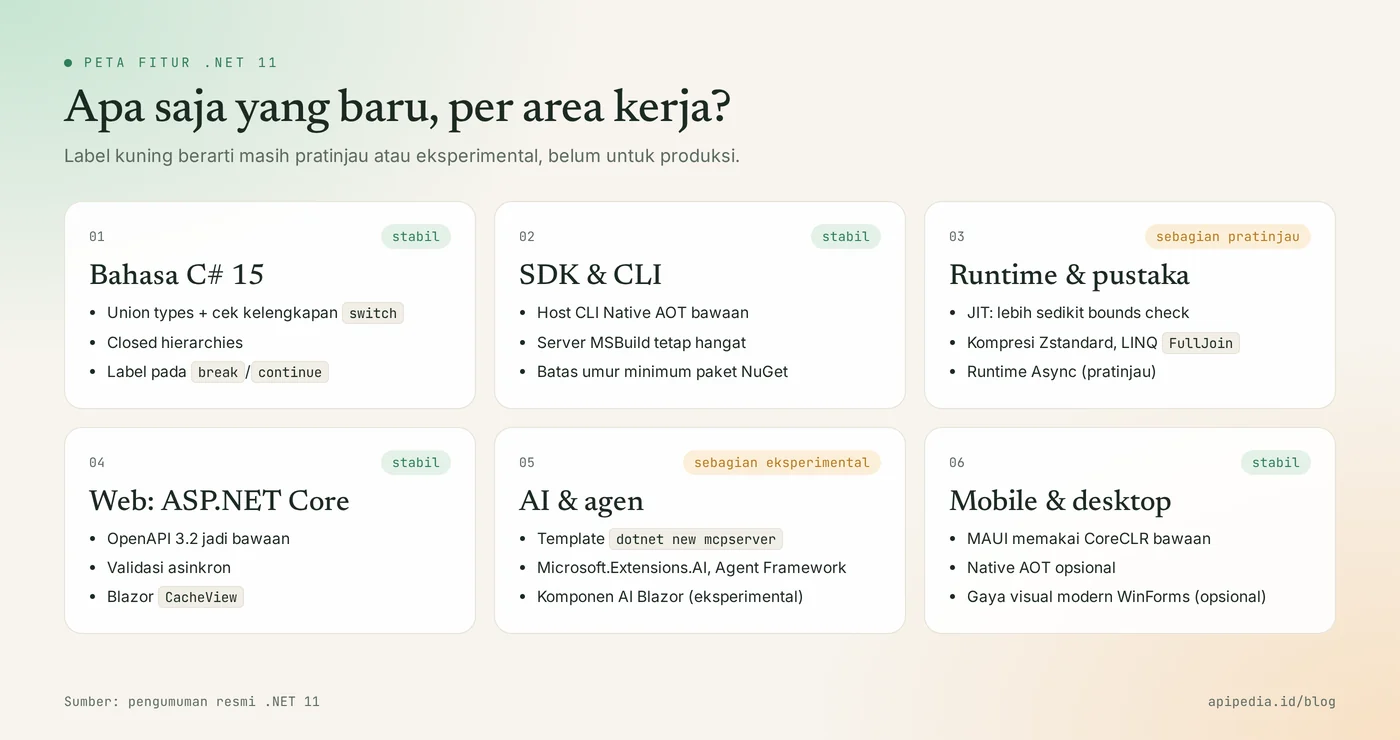
.NET 11 changes are spread across six areas: language, SDK, runtime and libraries, web, AI, and mobile and desktop. Some features are still labeled preview or experimental, so differentiate between which ones are production ready.
C# 15: union types
Union types allow a single value to be expressed as one of a set of predefined types, and the compiler checks that all possibilities have been handled in expression switch. This pattern is suitable for operation results such as "success, failed validation, or not found" without throwing an exception.
- Closed hierarchies limit direct descendants of a type to only the assembly that declares it.
- Collection expression arguments allow comparer or factory arguments to be provided directly in the collection syntax.
- Extension indexers and labels on
break/continueare included. System.Text.Jsonand ASP.NET Core already understand unions in JSON bodies; OpenAPI docs describe it withanyOf.
SDK, runtime and libraries
Command dotnet is now executed via the Native AOT host by default and the MSBuild server remains active between invocations, reducing the initial delay of each command. The official announcement did not include a single benchmark figure; measure it yourself in your workload.
- JIT reduces array bounds checking and improves devirtualization.
- Zstandard compression goes to
System.IO.Compression, and LINQ getsFullJoin. - NuGet sources can require a minimum package publication age, useful for mitigating supply chain attacks.
- Container publication supports reproducible digests via
SOURCE_DATE_EPOCH. - Async Runtime is still in preview and must be enabled yourself.
Web, AI, mobile, and desktop
ASP.NET Core makes OpenAPI 3.2 a native document version and adds asynchronous validation. On the AI side, the SDK now includes Model Context Protocol (MCP) server templates:
dotnet new mcpserver -o MyMcpServer- The Blazor gets
CacheViewcomponents and an auto-pause option for inactive circuits. - The AI component pack for Blazor is in experimental status and remains pre-release throughout the .NET 11 cycle.
- .NET MAUI uses CoreCLR as the default runtime; package
Microsoft.Maui.Controls.Compatibilityis no longer being sent. - EF Core 11 requires .NET 11.
- Windows Forms has an optional modern visual style mode.
Why is this release important?
This release is important because it changes the support status of two versions that are still widely used at once. Starting November 10, 2026, new security holes in .NET 8 and .NET 9 will no longer be patched via free official updates.
- Fact:.NET 8 and .NET 9 are out of support; .NET 10 (LTS) and .NET 11 (STS) are supported versions.
- Fact: simply installing the .NET 11 SDK does not change the application target; target framework must be replaced.
- Analysis: teams that rarely upgrade are better suited to .NET 10, because LTS provides three years of support. Teams that need union types or MCP templates are better suited to .NET 11.
- Analysis: features labeled preview or experimental should not be the foundation of a production system just yet.
What is the impact for developers and businesses in Indonesia?
The biggest impact is on organizations still running .NET 8 or .NET 9 applications in production, including internal systems, API services, and customer applications. The app still runs, but without new security patches.
- Developers: need to select a new target and check the compatibility of NuGet packages and EF Core providers.
- IT and DevOps admins: base container images, build agents, and
global.jsonshould be updated. Also check the updated minimum CPU requirements in .NET 11, especially for older servers. - Digital business owners: unsupported runtimes are a common security audit finding. For personal data controllers, running systems that are still patched is part of reasonable security measures; consult your specific obligations with legal counsel.
- AI product team: built-in MCP templates make it easy to expose C# application functionality to AI assistants without a separate template package.
What do you need to do now?
The first step is to record the .NET version that is actually installed and used, then choose the upgrade target. Run the following commands on the developer machine, build agent, and server:
dotnet --list-sdks
dotnet --list-runtimes
grep -R "<TargetFramework" --include="*.csproj" .- Inventory. Note all projects that target
net8.0ornet9.0. - Select targets.
net10.0for long support,net11.0for newest features. - Update SDK. Install the SDK on the machine and build agent, then adjust
global.jsonif the repository locks the SDK version. - Change target framework. Change
<TargetFramework>in the project file, then update the package and workload. - Read breaking changes. Check the .NET 11 and EF Core 11 change docs before merging the code.
- Test and measure. Run tests, measure performance under realistic loads, and check container images and native dependencies.
<PropertyGroup>
  <TargetFramework>net11.0</TargetFramework>
</PropertyGroup>
If you are using the .NET 11 release candidate, move the SDK, runtime, packages, and workloads to the final version.
Frequently asked questions
When is .NET 11 released?
.NET 11 was released on November 10, 2026, announced on the first day of .NET Conf 2026 which took place November 10–13.
Is .NET 11 LTS?
No. .NET 11 is an STS release with two years of support. The currently supported LTS version is .NET 10.
Will my .NET 8 application just stop working?
No. Applications continue to run, but .NET 8 and .NET 9 will no longer receive security or bug fixes as of November 10, 2026, so the risks increase over time.
Is it better to upgrade to .NET 10 or .NET 11?
Choose .NET 10 if you prioritize long support and infrequent upgrades. Choose .NET 11 if you need C# 15, MCP templates, or the latest MAUI and Blazor fixes, and be ready to upgrade again in two years.
Can C# 15 union types be used in .NET 10?
C# 15 is the default language version for projects targeting .NET 11. To use it officially and be supported, target net11.0.
Also read: upgrade guide to Node.js 26 LTS, how to migrate to Go JSON v2, and how to connect APIPedia to Claude via MCP.
Source
Topics: #berita #dotnet #csharp #developer #upgrade #mcp
${c.about}
Tim APIPedia — Tim Engineering APIPedia
Tim engineering di balik APIPedia yang membangun dan memelihara API data Indonesia - ongkir, OCR KTP, data wilayah, BMKG, hingga server MCP - dan menulis panduan integrasinya dari pengalaman langsung.