Claude MCP API: Connect APIPedia to Claude and AI Agents
By Tim APIPedia, Tim Engineering APIPedia · Published · Updated · 10 min read
MCP is a protocol that allows Claude to call external tools. Connect APIPedia via /v1/mcp with the apk_ key for Indonesian data.
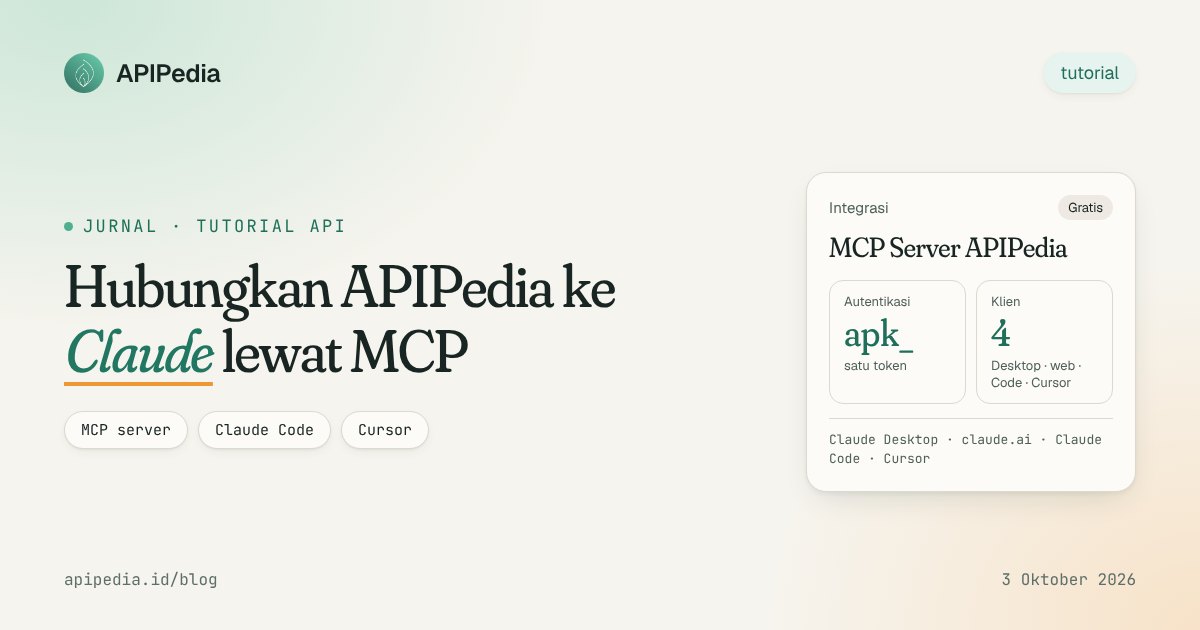
MCP (Model Context Protocol) is an open protocol that allows AI assistants like Claude to call external tools and data in a standard format. APIPedia provides an Indonesian MCP server at https://api.apipedia.id/v1/mcp, so Claude can immediately check postal codes, BMKG earthquakes, shipping costs, or OCR KTP using your API apk_ key.
This article discusses how to connect the APIPedia MCP server to Claude Desktop, claude.ai, Claude Code, and Cursor. We'll also look at how to authenticate, what tools are available, and why URLs containing keys should be treated as secrets.
What is MCP and why is it useful for Indonesian developers?
The Model Context Protocol is a standard Anthropic introduced for connecting language models to data sources and actions outside the model. One MCP server declares a complete list of tools with names, descriptions, and input schemes. MCP clients such as Claude Desktop read that list, then the model decides for itself when a tool needs to be called.
Without MCP, you'd have to write sticky code for each API: create functions, define schemas, handle errors, and then feed it to the model. With MCP, it's all packaged on the server side. You just paste one URL and one key.
For Indonesian developers, the practical value is clear. Many everyday questions require local data: postal code for a sub-district, the latest earthquake from BMKG, prayer schedules, national holidays, or NIK format validation. General AI models don't have that data directly. APIPedia's MCP Server bridges the gap via the same REST endpoint you call from the application.
How does APIPedia server MCP work?
The APIPedia MCP server runs on POST /v1/mcp with a Streamable HTTP transport. This server is stateless: each POST request creates a new server instance without header Mcp-Session-Id. Because of this, the GET and DELETE methods are answered with a 405 status, and the response is sent as plain JSON, not an SSE stream.
When a tool is called, the MCP server passes your API key as is to the original REST endpoint. This means that key coverage, quotas, and usage logging are still enforced by the endpoint. MCP opens no shortcuts: calling gempa_terkini via Claude is the same as calling GET /v1/gempa/terkini from curl.
The results of each tool are text containing the HTTP status line plus the APIPedia standard JSON envelope: { is_success, message, data }. Error messages are generally in Indonesian and explain how to fix them, so Claude can read them and tell you what's wrong.
Server technical summary
| Aspect | Mark |
|---|---|
| URLs | https://api.apipedia.id/v1/mcp |
| Transport | Streamable HTTP, stateless mode (POST only) |
| Response format | JSON-RPC 2.0, tool contents in the form of { is_success, message, data } envelopes |
| Authentication | Header Authorization: Bearer apk_xxx or query ?key=apk_xxx |
| OAuth | Not yet available |
| Time limit per tool | 90 seconds (OCR and downloader can take a long time) |
| Image from URL | Field image_url is downloaded by the server, maximum 10 MB, private addresses are rejected |
How to authenticate to MCP APIPedia?
Authentication uses apk_ start API key created in the APIPedia console, API Token menu. Keys are only displayed once when created, so save them carefully. OAuth is not yet implemented, so currently there are two ways to send keys.
First way: Bearer header. Send Authorization: Bearer apk_xxx. This is the recommended method because the key is not recorded as part of the URL. Claude Desktop (via configuration), Claude Code, and Cursor support custom headers.
Second way: query parameters. Add ?key=apk_xxx behind the MCP URL. This method exists because the custom connector on claude.ai cannot set its own header. If the header and query are both sent, the header is used.
If the key is not sent or is invalid, the server replies HTTP 401 with header WWW-Authenticate and a JSON-RPC error message explaining the two methods above.
Warning: URLs containing ?key= are confidential
Anyone holding URL
?key=apk_...can use your account balance and quota. Don't paste it in chat, screenshots, issues, or repositories.
URLs with query strings can also be recorded in proxy access logs. Use a special key for MCP with a narrow scope and validity period, then revoke it on the Token page as soon as you suspect the key has leaked. The server itself sends header Cache-Control: no-store with each MCP response.
Steps to connect APIPedia to Claude
Before you start, make sure you have an account and API key. The Free package is free forever with a quota of 500 requests per day and a rate limit of 10 requests per second, enough to try all the steps below. Remember, each tool call via MCP counts towards the quota just like a regular REST call.
claude.ai (web)
- Go to Settings, then Connectors.
- Click Add custom connector.
- Paste the URL with key:
https://api.apipedia.id/v1/mcp?key=apk_xxx. The web connector cannot send custom headers yet. - Leave the OAuth settings blank, then click Add.
- In a new conversation, enable APIPedia from the tools menu.
Claude Desktop
The fastest way is the same as the web version: Settings, Connectors, Add custom connector, name it "APIPedia", then paste the URL with the key. If you don't want the key in the URL, use claude_desktop_config.json (Settings, Developer, Edit Config) with a bridge mcp-remote that sends the key as a header:
{
  "mcpServers": {
    "apipedia": {
      "command": "npx",
      "args": [
        "-y", "mcp-remote",
        "https://api.apipedia.id/v1/mcp",
        "--header", "Authorization:${APIPEDIA_AUTH}"
      ],
      "env": { "APIPEDIA_AUTH": "Bearer apk_xxx" }
    }
  }
}
Claude Code
Run the following command in the terminal. Add --scope user so that the server is available in all projects.
claude mcp add --transport http apipedia https://api.apipedia.id/v1/mcp \
  --header "Authorization: Bearer apk_xxx"
Cursors and other agents
The cursor reads ~/.cursor/mcp.json (global) or .cursor/mcp.json in the project. Other MCP clients that support Streamable HTTP with custom headers can use the same pattern.
{
  "mcpServers": {
    "apipedia": {
      "url": "https://api.apipedia.id/v1/mcp",
      "headers": { "Authorization": "Bearer apk_xxx" }
    }
  }
}
What tools are available in MCP APIPedia?
The server lists dozens of tools grouped by category. Each tool maps one REST endpoint, and its description lists the original method and path, for example [Gempa] GET /v1/gempa/terkini. Tool list_apis returns entire lists per category, coming soon endpoints, and product catalog, so that's a great place to start.
| Category | Examples of tools |
|---|---|
| Region and Postal Code | list_provinsi, list_kabupaten, cari_kodepos, detail_kodepos |
| Identity and finances | parse_nik, parse_npwp, parse_qris, validate_rekening, kurs_convert |
| Earthquake and Weather (BMKG) | gempa_terkini, gempa_m5, gempa_dirasakan, prakiraan_cuaca |
| Dates, Holidays, Prayers | cek_libur, hitung_hari_kerja, jadwal_sholat |
| Postage | ongkir_search, cek_ongkir, ongkir_couriers |
| OCR and Vision | ocr_ktp, ocr_sim, ocr_general, face_match, remove_background |
| Third party connection | gmail_send, calendar_create_event, docs_create, linkedin_post, github_create_issue |
| Accounts and Wallets | get_quota, get_usage, get_logs, get_wallet |
| Support and Blog | create_ticket, blog_list_posts, blog_get_post |
Tool that requires account connection
Gmail, Google Calendar, Docs, Sheets, Drive, Meet, LinkedIn, and GitHub tools require a connected account on the console's Connections page. Claude can check with list_connections, then call connect_account and ask you to open the returned redirectUrl. The server also instructs the model to ask for confirmation before actions that send something in your name, such as an email or post.
The image tool accepts the URL
Tools like ocr_ktp accept image_base64 or image_url. If you provide a public URL, the MCP server downloads it (maximum 10 MB) then sends base64 to the endpoint. Private or loopback addresses are denied to prevent internal network scanning. OCR endpoint details are in the Indonesian KTP OCR API article.
How to test server MCP with curl and JavaScript?
Because the transport is plain HTTP, you can test the server without Claude at all. This is useful for ensuring the key is valid before pasting it to the client. Send header Accept containing application/json and text/event-stream according to the Streamable HTTP specification.
View the tool list
curl -X POST "https://api.apipedia.id/v1/mcp" \
  -H "Authorization: Bearer apk_xxx" \
  -H "Content-Type: application/json" \
  -H "Accept: application/json, text/event-stream" \
  -d '{"jsonrpc":"2.0","id":1,"method":"tools/list","params":{}}'
Calling a tool
The following example calls gempa_terkini, which forwards the latest earthquake data from BMKG. An explanation of the response fields is in the BMKG earthquake and weather API article.
curl -X POST "https://api.apipedia.id/v1/mcp" \
  -H "Authorization: Bearer apk_xxx" \
  -H "Content-Type: application/json" \
  -H "Accept: application/json, text/event-stream" \
  -d '{
    "jsonrpc": "2.0",
    "id": 2,
    "method": "tools/call",
    "params": { "name": "gempa_terkini", "arguments": {} }
  }'
Calling tools from JavaScript
For a self-made agent, fetch with JSON-RPC body tools/call is sufficient. Store keys in environment variables, don't write them directly in the code.
const MCP_URL = "https://api.apipedia.id/v1/mcp";

async function callTool(name, args = {}) {
  const res = await fetch(MCP_URL, {
    method: "POST",
    headers: {
      Authorization: `Bearer ${process.env.APIPEDIA_KEY}`, // apk_xxx
      "Content-Type": "application/json",
      Accept: "application/json, text/event-stream",
    },
    body: JSON.stringify({
      jsonrpc: "2.0",
      id: Date.now(),
      method: "tools/call",
      params: { name, arguments: args },
    }),
  });
  const body = await res.json();
  if (body.error) throw new Error(body.error.message);
  return body.result; // { content: [...], isError? }
}

const hasil = await callTool("cari_kodepos", { q: "Cibubur", limit: 5 });
console.log(hasil.content[0].text);
If the result contains isError: true, read the text at content[0].text. It contains the HTTP status and a JSON envelope explaining the cause, for example an empty required parameter or an exhausted quota.
Examples of prompts that you can try straight away
Once the connector is active, you don't need to mention the tool name. Claude chose it himself based on the description. Some prompts that utilize local data:
- "What earthquakes were felt by the community according to BMKG?"
- "Search for the postal code for Cibubur, then display the sub-district and city." See also region and zip code data API.
- "What is the estimated shipping cost of 2 kg from Bandung to Surabaya?" Tool
cek_ongkiruses static tariff data, not live courier tariffs. Details on how to check postage via API. - "How many working days are there between December 1 and December 31 this year?"
- "How much remaining APIPedia quota do I have?" Claude will call
get_quota.
Frequently asked questions
Does using MCP use up your quota?
Yes. Each tool call is forwarded to the REST endpoint with your key, so it counts toward account quota and billing just like a regular call. In the Free package, the limit is 500 requests per day and 10 requests per second.
Does it support OAuth?
Not yet. For the time being, authentication uses API key apk_ via header Authorization: Bearer or parameter ?key=. When adding a custom connector in claude.ai, leave the OAuth field blank.
Why are GET requests to /v1/mcp rejected?
The server runs in stateless mode, so there are no SSE sessions or streams from the server. GET and DELETE answered 405 with header Allow: POST. All MCP communications are done via POST.
What should I do if the URL ?key= is accidentally distributed?
Immediately revoke that key on the console's API Tokens page, then generate a new key. From the start, it is best to use a special MCP key with a narrow scope and validity period so that the impact of leaks is limited.
Can it be used besides Claude?
Can. The server follows the MCP specification with a Streamable HTTP transport, so other clients such as Cursors or homegrown agents can connect as long as they support that transport and can send keys.
Start connecting Claude to Indonesian data
One URL, one key, and Claude can immediately answer questions that require local Indonesian data. Register for free at console.apipedia.id, create a key in the API Token menu, then open the MCP panel in the console API documentation to copy the URL and ready-to-paste configuration.
Topics: #mcp #claude #ai agent #integrasi #tutorial
${c.about}
Tim APIPedia — Tim Engineering APIPedia
Tim engineering di balik APIPedia yang membangun dan memelihara API data Indonesia - ongkir, OCR KTP, data wilayah, BMKG, hingga server MCP - dan menulis panduan integrasinya dari pengalaman langsung.