CVE-2026-123039: Check Point Gaia Flaw Exploited, Local User Can Become Root in Firewall
By Tim APIPedia, Tim Engineering APIPedia · Published · Updated · 9 min read
The vulnerability CVE-2026-123039 in Check Point Gaia (CVSS 7.8) has been exploited and is in CISA KEV. This is the safe version, how to check, and how to update.
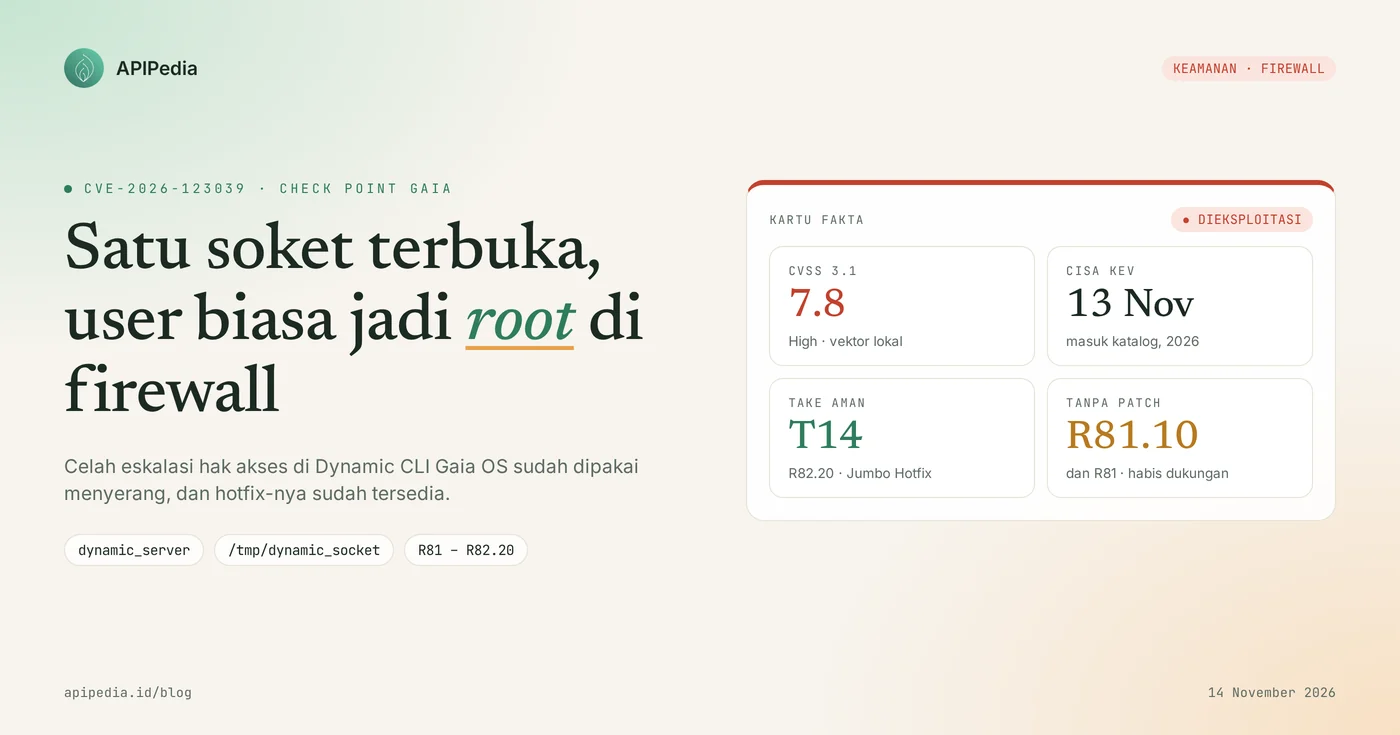
CVE-2026-123039 is a privilege escalation vulnerability in Check Point Gaia OS (CVSS 7.8, High) that allows ordinary local users to execute commands as root via a socket belonging to the Dynamic CLI daemon. This flaw has been exploited since the end of October 2026, entered the CISA KEV catalog on November 13 2026, and has been fixed via Jumbo Hotfix for R82.20, R82.10, R82, and R81.20.
For network admins, this is important because the firewall is the most trusted device on the network. Once an attacker becomes root there, he can plant a backdoor and move to another server. This article discusses how the vulnerability works, safe versions, how to check your device, update steps, and how to look for attack traces in the logs.
Quick summary of CVE-2026-123039
| Items | Details |
|---|---|
| Gap type | Escalation of local privileges to root (socket permissions too loose and without identity checks) |
| Component | Daemon dynamic_server (Dynamic CLI) on Gaia OS, socket /tmp/dynamic_socket |
| Score | CVSS 3.1: 7.8 (High), local attack vector |
| Impacted version | Gaia R82.20, R82.10, R82, R81.20, R81.10, R81 |
| Safe version | Jumbo Hotfix R82.20 Take 14, R82.10 Take 52, R82 Take 132, R81.20 Take 174, or later |
| Exploitation status | It's been exploited; the vendor saw attacks on about two dozen customers |
| CISA KEV | Yes, added November 13, 2026 |
| Vendor advisory | sk1000362 (created November 8, 2026, updated November 12, 2026) |
How does the CVE-2026-123039 vulnerability work?
This flaw works because daemon dynamic_server runs as root, but the socket it receives commands from is writable by all users and does not check who is connecting. As a result, any local user already logged in on the device can send a single request to that socket and the command is executed with root privileges.
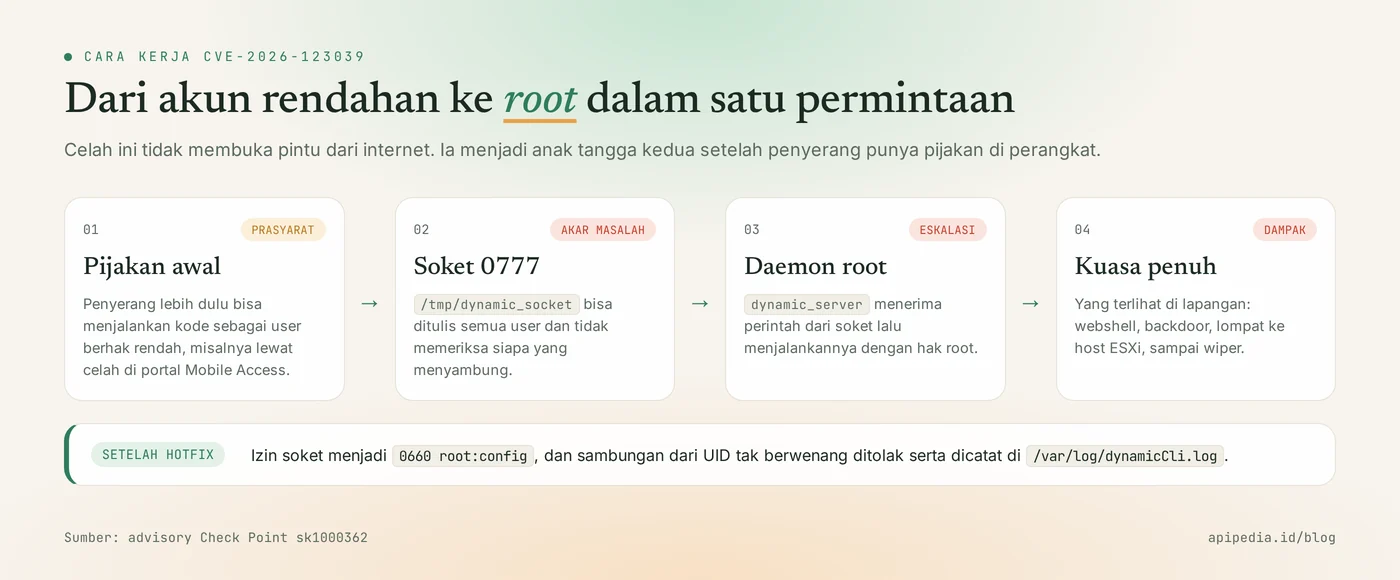
Dynamic CLI is Gaia's mechanism for executing some Clish commands. Under normal conditions, each request is wrapped by the same Clish script. The problem is, socket /tmp/dynamic_socket is created with permission 0777, so other processes can bypass that wrapper and talk directly to the daemon.
Why can local gaps be dangerous in the firewall?
Local gaps are dangerous in the firewall because attackers rarely stop at one gap. CVE-2026-123039 cannot be used directly from the internet. The attacker must already be able to run code on the device. According to vendor research, the initial step was obtained through a PHP loophole in the Mobile Access portal, then this loophole was used to advance to root.
After becoming root, the perpetrator was seen planting a webshell, installing a backdoor, moving to a VMware ESXi host, and on some victims running data-wiping malware. The first wave was recorded around October 30, 2026.
Who is affected?
Affected are organizations that run Check Point products based on Gaia OS versions R81 to R82.20 and have not installed the latest Jumbo Hotfix. The details:
- Force Firewall / Security Gateway, including cluster members.
- Management Server and Log Server.
- Multi-Domain Security Management and Multi-Domain Log Server.
- Maestro Orchestrator.
- Devices with Mobile Access portals or other internet-facing services are at greatest risk, because that's where the initial foothold is usually found.
Spark firewall and Smart-1 Cloud services are not affected.
How serious is CVE-2026-123039?
This flaw is serious despite its score of 7.8, because it has been used in real attacks and gives full control over the firewall. The CVSS score does not reach the Critical category only because the attacker needs local access first.
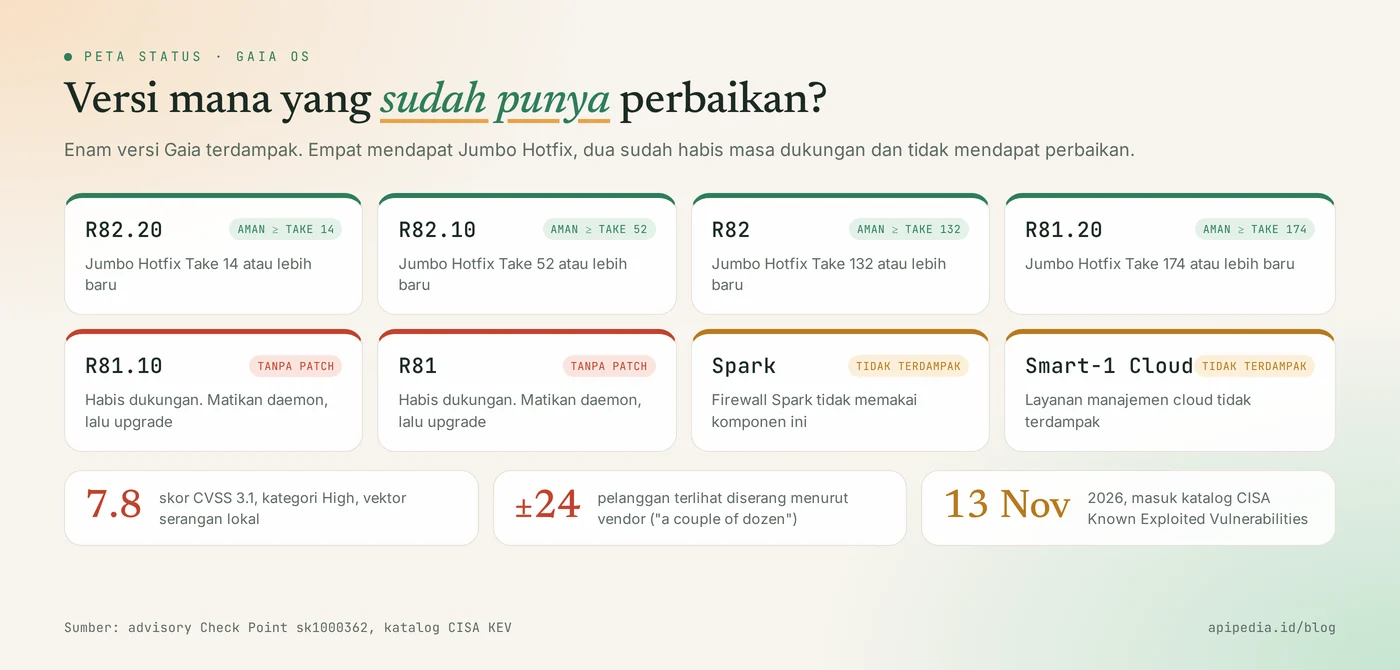
- CVSS 3.1: 7.8 (High), with local attack vectors and low access privileges required.
- It's been exploited. The vendor said it saw active exploitation on about two dozen customers.
- Entered CISA KEV on November 13, 2026, a list of vulnerabilities proven to be used by attackers.
- Worn in chains. This vulnerability is the second step after the attacker enters via the device's web portal.
- Two versions received no improvements. R81.10 and R81 have expired support.
Which version is safe?
The safe version is Gaia with the Jumbo Hotfix Accumulator on the following Takes or later:
| Gaia version | Status | Take safe (Jumbo Hotfix) |
|---|---|---|
| R82.20 | Affected, there are improvements | Take 14 or later |
| R82.10 | Affected, there are improvements | Take 52 or later |
| R82 | Affected, there are improvements | Take 132 or later |
| R81.20 | Affected, there are improvements | Take 174 or later |
| R81.10 | Affected, support exhausted | There isn't any. Mitigation then version upgrade |
| R81 | Affected, support exhausted | There isn't any. Mitigation then version upgrade |
| Spark, Smart-1 Cloud | Not affected | No action is required for this loophole |
How to check your device?
The quickest way to check is to look at socket /tmp/dynamic_socket permissions in Expert mode: permission 0777 means it's still vulnerable, permission 0660 means root:config means it's fixed. The following script combines checking socket permissions with checking logs. We tested the script logic with example sockets and logs in the sandbox, not on a real Gaia device.
#!/bin/bash
# Jalankan di Expert mode pada tiap gateway / anggota cluster
LOG=${LOG:-/var/log/dynamicCli.log}
SOCK=${SOCK:-/tmp/dynamic_socket}

echo "== Izin soket =="
if [ -e "$SOCK" ]; then
  perm=$(stat -c '%a' "$SOCK")
  [ "$perm" = "660" ] && echo "OK: $SOCK izin $perm (sudah diperbaiki)" \
    || echo "RENTAN: $SOCK izin $perm (seharusnya 660)"
else
  echo "Soket tidak ada (dynamic_server tidak berjalan)"
fi

echo "== Perintah tanpa pembungkus Clish =="
WRAP='CPprofile.sh >> /dev/null; export SP_DISTRIBUTE=0; set -o noglob;'
n=$(grep "Received =" "$LOG" 2>/dev/null | grep -vcF "$WRAP")
echo "Jumlah baris mencurigakan: $n"
[ "$n" -gt 0 ] && grep "Received =" "$LOG" | grep -vF "$WRAP" | tail -n 20

echo "== Sambungan yang ditolak setelah hotfix =="
grep -c "Rejected connection from unauthorized uid" "$LOG" 2>/dev/null
To see the installed Take Jumbo Hotfix, run cpinfo -y all in Expert mode, then match it to the table above.
How to update safely?
A safe way to update is to install Jumbo Hotfix according to your version of Gaia, starting from an internet-facing device, then verifying socket permissions afterwards.
Step 1: temporary mitigation
If the hotfix cannot be installed by today, the vendor recommends stopping process dynamic_server and preventing it from starting again. The exact command is in advisory sk1000362; follow from there to suit your version. Two things to know:
- This mitigation disables Dynamic CLI commands (listed in sk144112), so test the operational impact first.
- Make sure the process has completely stopped with the following command. Empty output means the daemon is dead.
ps auxw | grep -v grep | grep 'dynamic_server'Also close the entrance: install a fix for the Mobile Access portal, and limit Gaia Portal and SSH access to admin addresses only.
Step 2: install the hotfix and verify
- Take a snapshot or backup of the device configuration.
- Install Jumbo Hotfix via CPUSE or SmartConsole according to the safe version table. For clusters, work on one member at a time.
- After rebooting, run
ls -l /tmp/dynamic_socket. Correct result:srw-rw---- root config. - For R81.10 and R81, schedule an upgrade to a supported version as there is no hotfix.
How to detect attacks through this gap?
Attacks via this vulnerability can be detected from /var/log/dynamicCli.log, because the daemon records every command it receives. Legitimate requests always use the same Clish wrapper, so lines without a wrapper are suspect. The script in the how to check section includes this check. Recommended additions:
- Look for log lines that contain unusual commands for the firewall, such as file downloads, user creation, or changes
authorized_keys. - After the hotfix is installed, line
Rejected connection from unauthorized uidwith a non-zero UID indicates a blocked escalation attempt. Match the time to the portal log and authentication log. - Also check the rotated logs and copies on the log server, as empty results only apply to the time range that is still stored.
If you find signs of a burglary?
- Isolate the device from the management network, but do not immediately turn it off to avoid losing evidence.
- Save a copy of the log, process list, and user list to separate places.
- Check for new users, SSH keys, scheduled tasks, and foreign files in the web portal directory.
- Replace all credentials stored or previously used on the device, including admin accounts and VPN keys.
- Reinstall the device from a clean image, then restore the configuration from a backup before the attack date.
- Check the servers that are reachable from the firewall, especially virtualization hosts.
Frequently asked questions
Can CVE-2026-123039 be exploited directly from the internet?
No. The attacker must be able to run code on the device as a local user. In the reported attack, initial access was gained through another loophole in the device's web portal.
Is the Check Point Spark firewall affected?
No. According to the vendor advisory, Spark and Smart-1 Cloud firewalls are not affected by CVE-2026-123039.
We are still on R81.10. What to do?
R81.10 and R81 did not receive a hotfix because they had expired support. Apply mitigation stop dynamic_server, limit management access, and then plan an upgrade to a version that is still supported.
Does turning off dynamic_server disrupt network traffic?
This mitigation turns off the Dynamic CLI command listed in sk144112, not the packet forwarding function. Keep testing in the maintenance window as the impact depends on the features you use.
How to ensure the hotfix works?
Run ls -l /tmp/dynamic_socket. If the permission is srw-rw---- with owner root config, the fix is active. Permission srwxrwxrwx means the device is still vulnerable.
Also read discussions of other vulnerabilities being exploited: OpenSSH CVE-2026-123158 in Alpine, Apache CVE-2026-119618 in mod_http2, and GPUStack CVE-2026-102895.
Source
Topics: #keamanan #cve #check point #firewall #cisa kev #gaia
About the author
Tim APIPedia — Tim Engineering APIPedia
Tim engineering di balik APIPedia yang membangun dan memelihara API data Indonesia - ongkir, OCR KTP, data wilayah, BMKG, hingga server MCP - dan menulis panduan integrasinya dari pengalaman langsung.