FortiManager Critical Vulnerability (CVE-2026-126261): FGFM Port Can Run Commands Without Logging In, Upgrade Now
By Tim APIPedia, Tim Engineering APIPedia · Published · Updated · 6 min read
CVE-2026-126261 allows a non-logged in attacker to execute commands in FortiManager via the FGFM port. This is the affected version, the safe version, and how to check it.
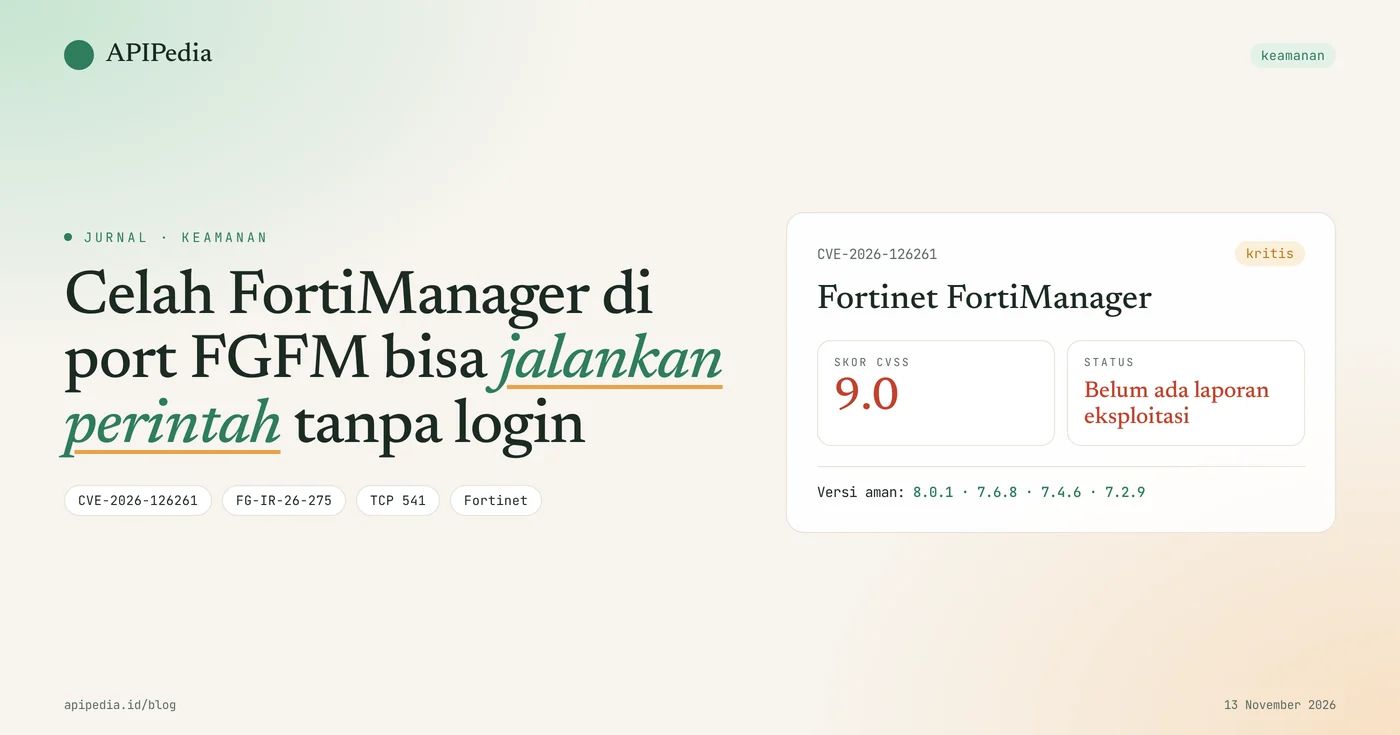
CVE-2026-126261 is an authorization vulnerability in Fortinet FortiManager's FGFM service that allows an unlogged attacker to execute code or commands via a crafted FGFM package. Fortinet issued advisory FG-IR-26-275 on November 10, 2026 with a CVSS score of 9.0 (critical) and fixes in versions 8.0.1, 7.6.8, 7.4.6, and 7.2.9.
FortiManager is a central console that manages many FortiGates at once, so that one console going down can impact all the firewalls it manages. Until the advisory was issued, Fortinet stated that this vulnerability was not yet known to be exploited. This article discusses how it works, affected versions, how to check, and safe upgrade sequences.
Quick summary
| Items | Details |
|---|---|
| CVE | CVE-2026-126261 |
| Advisory | FG-IR-26-275, published November 10, 2026 |
| CVSS Score | 9.0 (critical) according to Fortinet |
| Component | FGFM service in FortiManager, generally on TCP port 541 |
| Impact | Executing code or commands without authentication |
| Affected | 8.0.0, 7.6.0 to 7.6.7, 7.4.0 to 7.4.5, 7.2.0 to 7.2.8 |
| Safe version | 8.0.1, 7.6.8, 7.4.6, 7.2.9 or later |
| Exploitation | It was not known to be exploited when the advisory was issued |
How does this loophole work?
This vulnerability works because FortiManager grants privileges to the FGFM package before the registration password is verified. FGFM is the protocol that FortiGate uses to register and synchronize configurations with FortiManager.
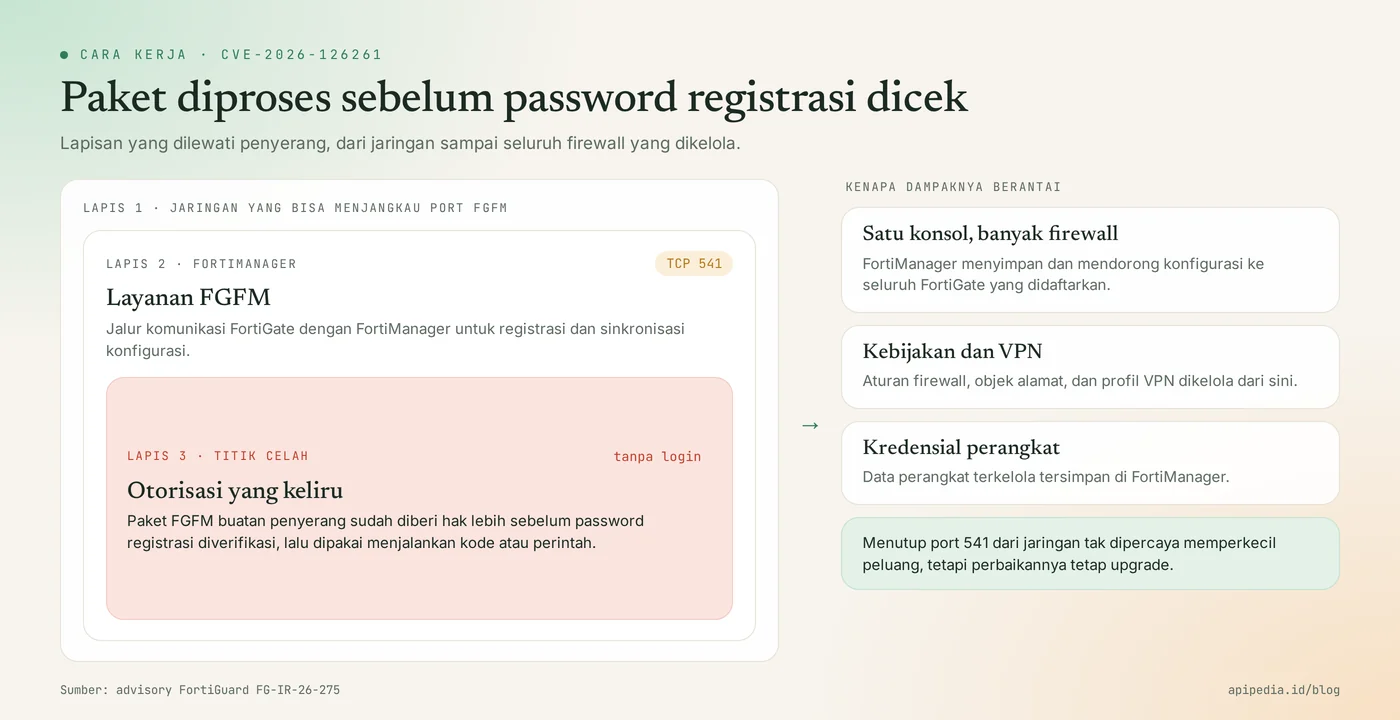
Why is the order of checks important?
In the normal flow, the device must prove itself first before its request is processed. Fortinet's advisory calls this loophole an increase in rights before the registration password is verified, meaning that a request has been served even though the sender has not been proven to be legitimate. Fortinet didn't detail the mechanics further, and this article won't speculate either.
What are the attack conditions?
There is one condition: the attacker can reach FortiManager's FGFM port. If that port is open to the internet, anyone can try. If it is only open to the management network, the attacker needs a foothold in the network first.
Who is affected?
Affected are all FortiManager installations in the four branches of the version called advisory and which have not been upgraded.
- Enterprise and agency network teams manage multiple FortiGate branches from a single FortiManager.
- Managed service providers (MSPs) that use FortiManager for many customers at once.
- FortiManager with an FGFM port open to the internet, usually so that a FortiGate in a remote location can register without a VPN.
How serious is this loophole?
This flaw is serious because it requires no login and targets the console that holds the entire firewall configuration, although there have been no reports of exploitation.
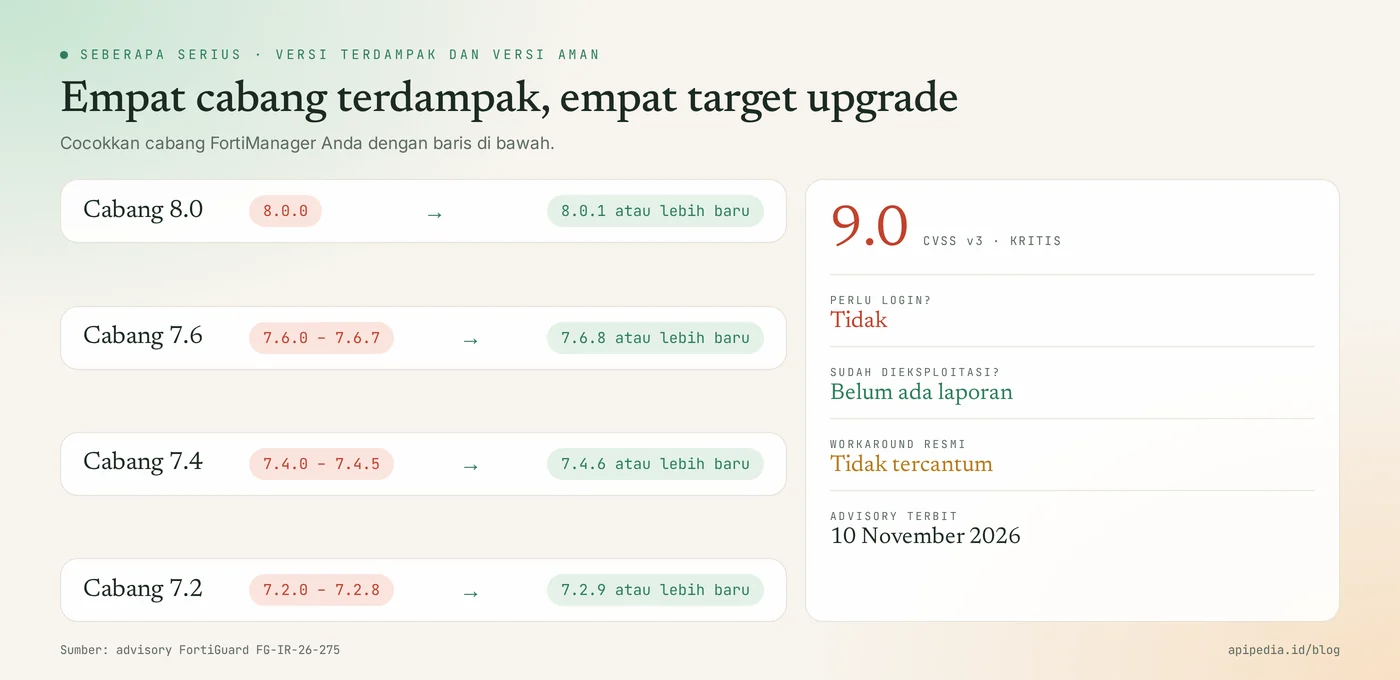
- Fortinet gave the CVSS a score of 9.0. Some third-party databases list other numbers; This article uses vendor figures.
- Advisory status: not yet known to be exploited, and not yet in the CISA KEV catalog as of November 13, 2026.
- The advisory does not list a workaround, and there is no virtual patch.
- The flaw was discovered internally by Fortinet's product security team, not from an actual attack.
- That same day Fortinet also issued another critical advisory for FortiManager and FortiAnalyzer, so one upgrade should cover them all.
Which version is safe?
Safe versions are 8.0.1, 7.6.8, 7.4.6, and 7.2.9 or later in the respective branch.
| Branch | Affected | Upgrade to |
|---|---|---|
| FortiManager 8.0 | 8.0.0 | 8.0.1 or later |
| FortiManager 7.6 | 7.6.0 to 7.6.7 | 7.6.8 or later |
| FortiManager 7.4 | 7.4.0 to 7.4.5 | 7.4.6 or later |
| FortiManager 7.2 | 7.2.0 to 7.2.8 | 7.2.9 or later |
How do I check if my FortiManager is affected?
Check the firmware version via the FortiManager CLI, then check whether the FGFM port can be reached from outside the management network.
# 1. Di CLI FortiManager: lihat baris Version
get system status

# 2. Dari mesin di LUAR jaringan manajemen (mis. VPS):
#    apakah port FGFM terjangkau?
nc -zv -w 5 IP_FORTIMANAGER 541
If your version is in the affected range and the second command reports open ports, make this upgrade the first priority.
How to update safely?
The safe way is to narrow access to the FGFM port first, then upgrade according to the official route.
Step 1: narrow the FGFM port access
Allow TCP 541 only from FortiGate addresses that you manage, via the firewall in front of FortiManager. This is not an official workaround and does not eliminate the bug, but it does shrink the number of parties who can try.
Step 2: upgrade and verify
- Back up the FortiManager configuration before starting.
- Check the official upgrade path for your version, as certain version jumps require intermediate versions.
- Upgrade to a secure version on your branch, or move to a newer branch.
- Run
get system statusagain and make sure the version has changed. - Make sure all FortiGates are connected and in sync again.
How to detect signs of attack?
Attack signs look for unknown devices and configuration changes you didn't make. Fortinet has not released an indicator of compromise for this vulnerability, so the following checks are general.
# Di CLI FortiManager: daftar perangkat yang terdaftar
diagnose dvm device list- A device or serial number that you don't recognize in the device list.
- Connection to port 541 from an IP address that does not belong to your FortiGate.
- New admin accounts, policy changes, or configuration installations that are not recorded in the team.
If you find signs of a burglary?
- Isolate FortiManager from the network without shutting it down.
- Keep configuration logs and backups as evidence.
- Compare the FortiGate configuration with the last trusted backup.
- Replace the admin credentials and credentials stored on the managed device, then contact Fortinet support.
Frequently asked questions
Has CVE-2026-126261 been exploited?
There is no report yet. Fortinet's advisory dated November 10, 2026 states that this vulnerability is not yet known to be exploited.
Is FortiGate affected?
Not directly. CVE-2026-126261 is in FortiManager, but the FortiGate it manages is at risk if the console is taken over.
Is closing port 541 enough?
Not enough. Restricting port 541 lowers the risk, but the real fix is just upgrading to a secure version.
What about FortiManager version 7.0 or earlier?
The Advisory only lists branches 7.2 to 8.0. For older branches, check their support status in Fortinet and plan to move to a branch that is still supported.
Why are the scores different on other sites?
Scores differ because each party assesses it themselves. Fortinet gives 9.0, while some other databases show 9.8.
Also read about other network device and server vulnerabilities: Ivanti Connect Secure zero-day chain, Zyxel GS1900 vulnerability, and Apache mod_http2 vulnerability.
Source
Topics: #keamanan #cve #fortinet #fortimanager #firewall #patch
About the author
Tim APIPedia — Tim Engineering APIPedia
Tim engineering di balik APIPedia yang membangun dan memelihara API data Indonesia - ongkir, OCR KTP, data wilayah, BMKG, hingga server MCP - dan menulis panduan integrasinya dari pengalaman langsung.